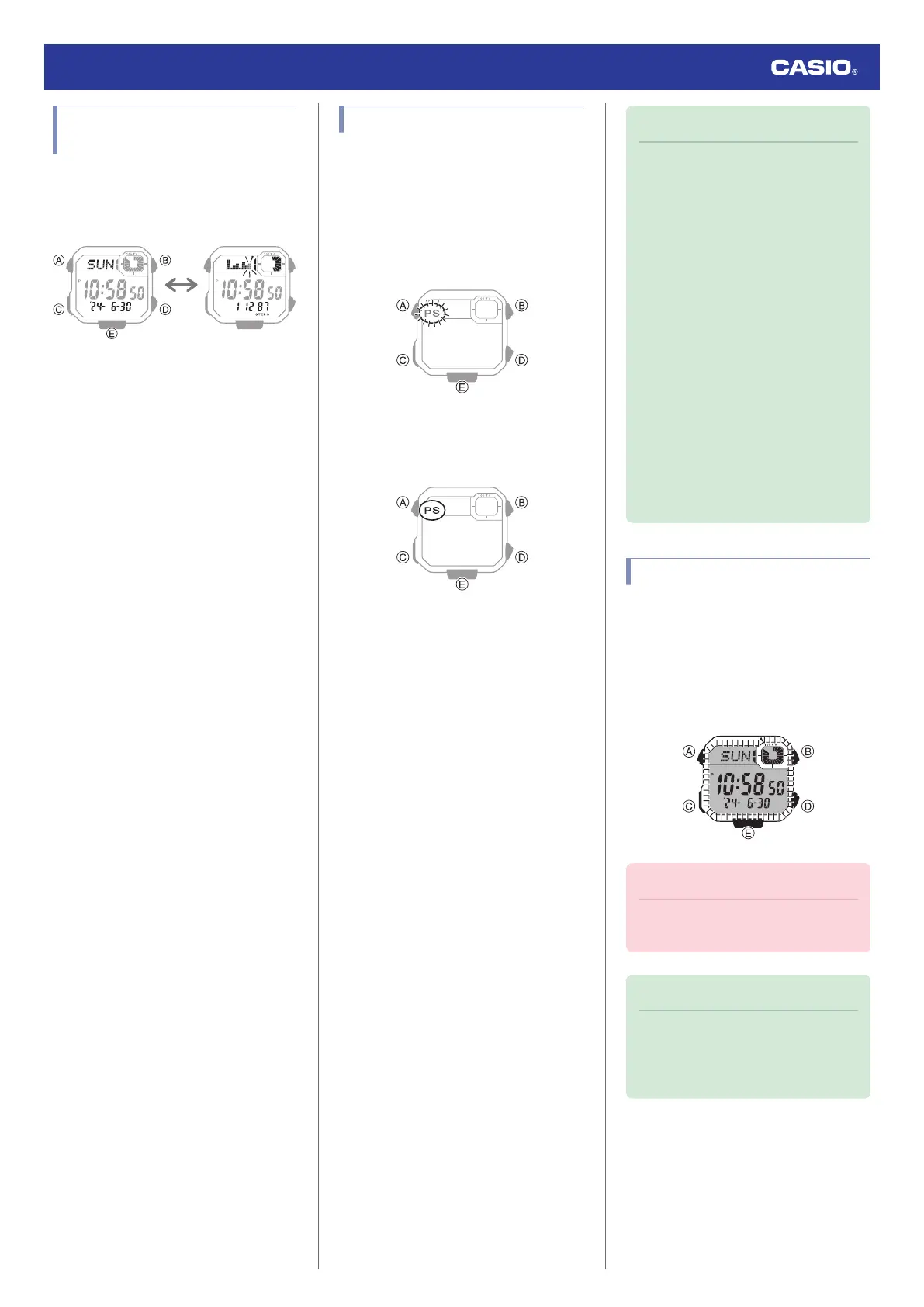
Selecting a Timekeeping
Mode Digital Display Format
Each press of (E) in the Timekeeping Mode
cycles display contents as shown below.
Normal Timekeeping
Display
Step count display
Power Saving
If power saving is enabled, the watch will turn
off its display and enter Level 1 power saving
if it is left unused for approximately 150
minutes between 10 p.m. and 6 a.m. If the
watch is left in this condition for six or seven
days, it will then enter Level 2 power saving.
Power Saving Level 1 :
Digital display goes blank to save power. The
watch can connect with a phone at this level.
Power Saving Level 2 :
Digital display goes blank to save power. All
functions are disabled.
Battery life (new battery)
Power Saving On (Worn 5 days a week, 6
hours per day, Power Saving Level 1, not worn
two days a week) :
Approximately 44 months
Power Saving Off :
Approximately 33 months
Recovering from Power Saving Operation
Use one of the operations below to exit power
saving.
●
Press any button.
●
Wearing the watch
Note
●
Under the conditions below, the
display does not change even if the
power saving Level 1 conditions are
met.
ー
While in the Stopwatch Mode
ー
While in the Timer Mode
If the stopwatch is reset to all zeros and
the timer is reset to its start time, the
watch will enter Level 2 power saving
if left without being used for six or
seven days.
●
You can enable or disable Power
Saving.
l
Using CASIO WATCHES to
Configure Settings
l
Using Watch Operations to
Configure Settings
●
The watch may enter a power-saving
state while you are wearing it if you do
not move your arm.
Viewing the Face in the Dark
The watch has a light that illuminates the face
for viewing in the dark.
●
Turning On Display Illumination
Press (B) to turn on illumination.
●
Illumination will turn off automatically if an
alarm starts to sound.
Important!
●
Frequent use of illumination runs down
the battery.
Note
●
Display illumination is disabled when
any one of the conditions below exists.
ー
Alarm, timer alert, or other beeper
sounding
Watch Operation Guide 3564
8



 To Next Page