Before Getting
Started...
This section provides an overview of the watch
and introduces convenient ways it can be
used.
Watch Features
●
Phone Linking
The watch supports connection and
communication with a Bluetooth capable
phone.
●
Dual Time
Dual Time lets you keep track of the current
time in another time zone in addition to your
current location’s time.
●
Alarm
An alarm sounds whenever a time specified
by you is reached.
●
Stopwatch
The stopwatch measures elapsed time in
units of one second (1/100 second for the
first hour) up to 24 hours.
●
Timer
Countdown from a start time specified by
you. An alarm sounds when the countdown
reaches zero.
●
Step Count
The step counter counts your steps as you
walk or run.
●
Power Saving
If you do not use your watch for a certain
amount of time, it will turn off its display to
save power.
Note
●
The illustrations included in this
operation guide have been created to
facilitate explanation. An illustration
may differ somewhat from the item it
represents.
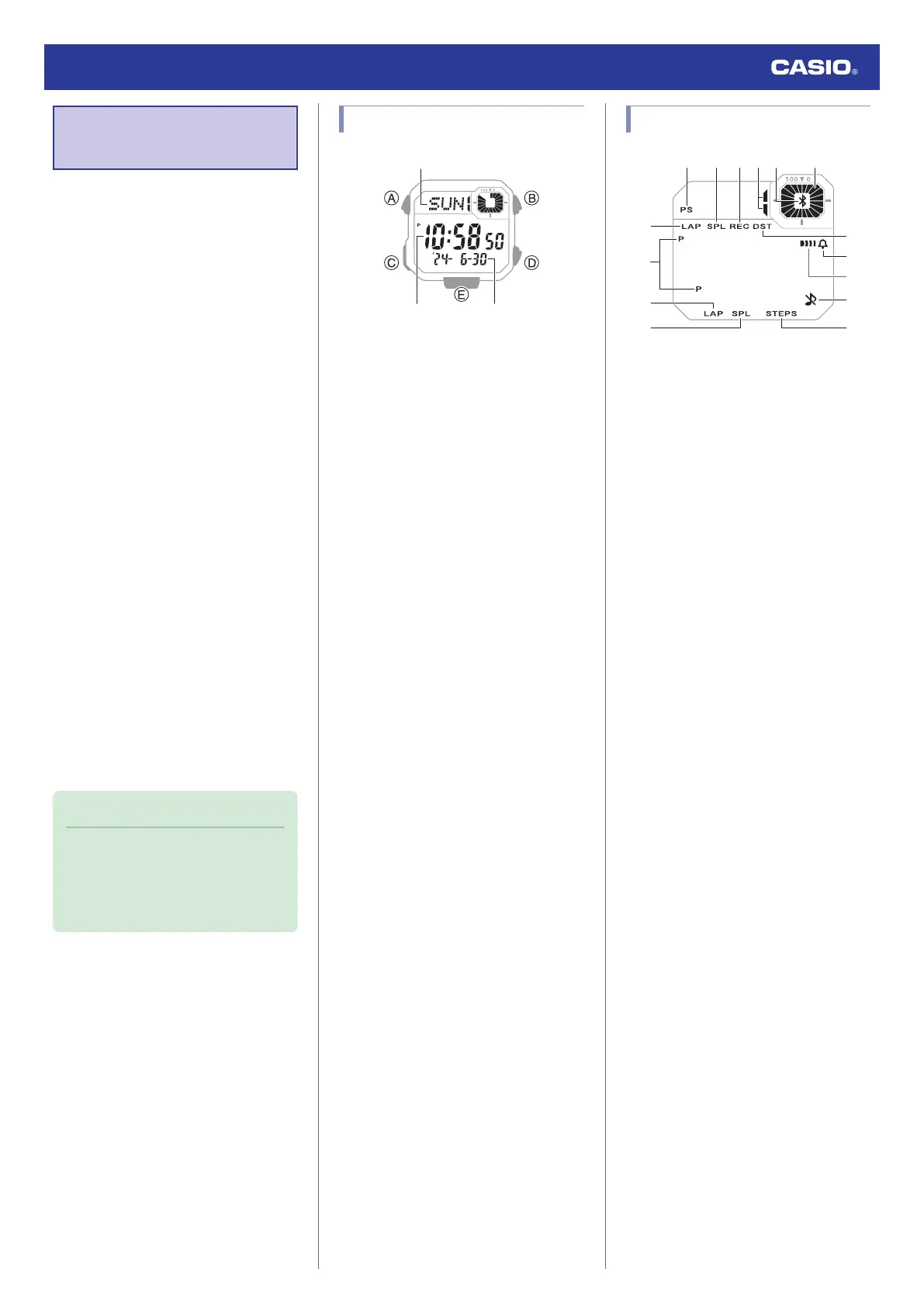
General Guide
A Day of the week
B Hour, minute, second
C Year, month, day
A button
Holding down this button for at least two
seconds in any mode displays the setting
screen.
B button
Press to turn on illumination.
C button
Each press cycles between watch modes.
In any mode, hold down this button for at least
one second to return to the Timekeeping
Mode.
D button
Pressing this button while any setting screen
is displayed will change the setting.
E button
Pressing this button while any setting screen
is displayed will change the setting.
Indicators
A Indicates power saving is enabled.
B Displayed while a split time is displayed.
C Displayed while the watch is in the Recall
Mode.
D Indicates the current step count status.
E Displayed while there is a Bluetooth
connection between the watch and a
phone.
F Graphic display area operation is linked
with operations in each mode.
G Displayed while a lap time is displayed.
H Displayed during p.m. times while 12-hour
timekeeping is being used.
I Displayed while the current time is a
summer time (DST).
J Displayed while the hourly time signal is
enabled.
K Displayed while an alarm is turned on.
L Displayed while the button operation tone
is disabled.
M Displayed while the step count is
displayed.
Watch Operation Guide 3564
6



 To Next Page