●
Battery Replacement
When battery power goes low, will
start to flash and some functions will become
disabled. If continues to flash, replace
the battery.
Request battery replacement from a CASIO
service center or your original retailer.
●
If [R] is flashing on the display
If [R] is flashing, it means that all functions,
except for timekeeping, are disabled due to
high momentary battery power consumption.
l
[R] is flashing on the display.
Graphic Display Area
Graphic display area operation is linked with
operations in each watch mode.
●
The graphic display area is blank in the
Recall Mode and the Alarm Mode.
Timekeeping Mode
While a step count is displayed, the graphic
display area shows your progress. For other
types of display, it changes with the count of
the current time’s seconds.
Stopwatch Mode
Movement is synchronized with the stopwatch
seconds.
Timer Mode
Movement is synchronized with the timer
seconds.
Dual Time
Movement is synchronized with the Dual Time
seconds.
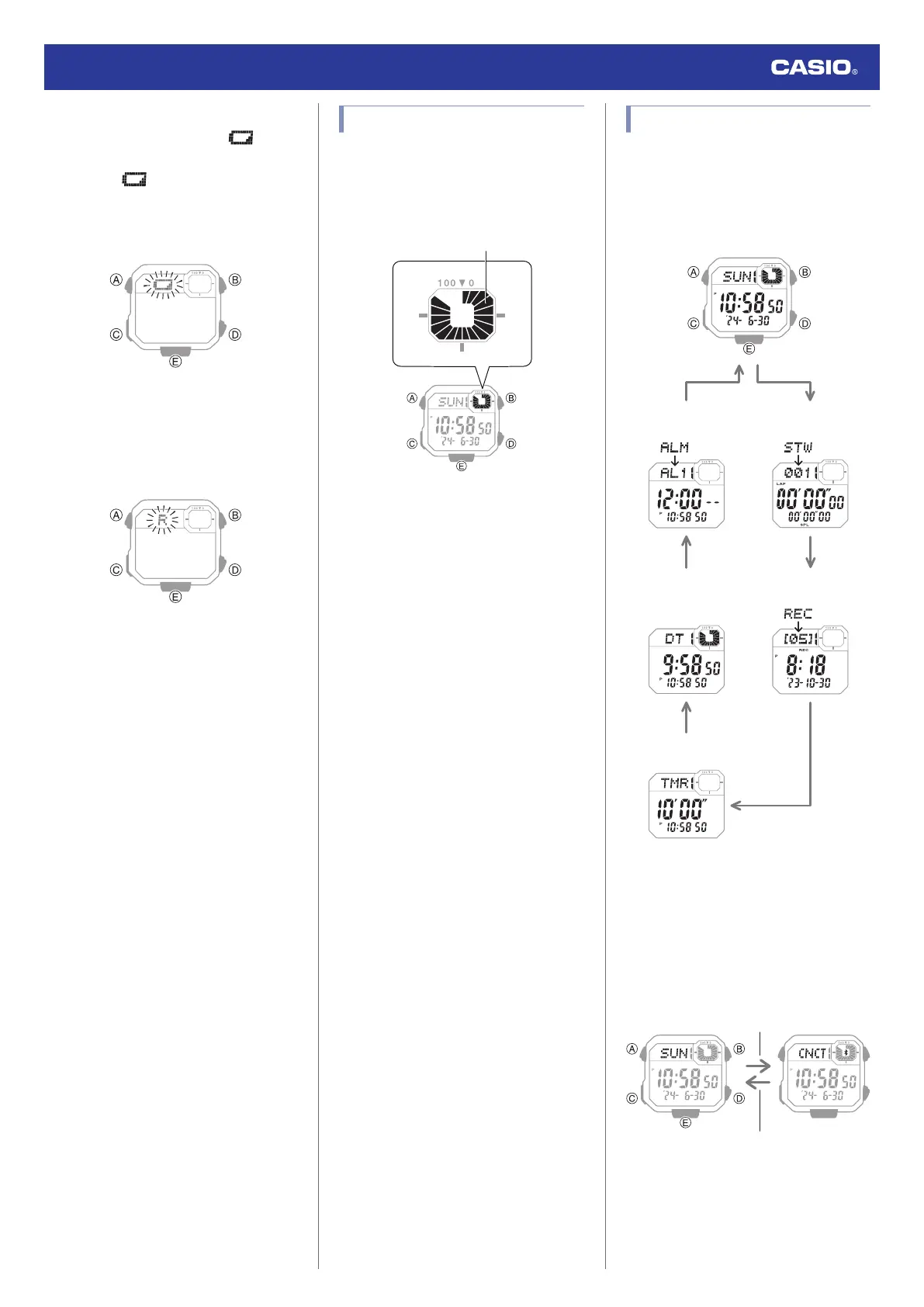
Navigating Between Modes
Each press of (C) cycles between watch
modes.
●
In any mode, hold down (C) for at least one
second to return to the Timekeeping Mode.
CC
CC
C
C
Stopwatch ModeAlarm Mode
Recall Mode
Timer Mode
Dual Time Mode
Timekeeping Mode
●
Connecting with a Phone
In the Timekeeping Mode, hold down (C) for
at least three seconds to connect with a
phone.
●
To terminate a connection between a phone
and the watch, press any watch button
besides (B).
C
Before connection After connection
Any button besides (B)
Watch Operation Guide 3564
7



 To Next Page