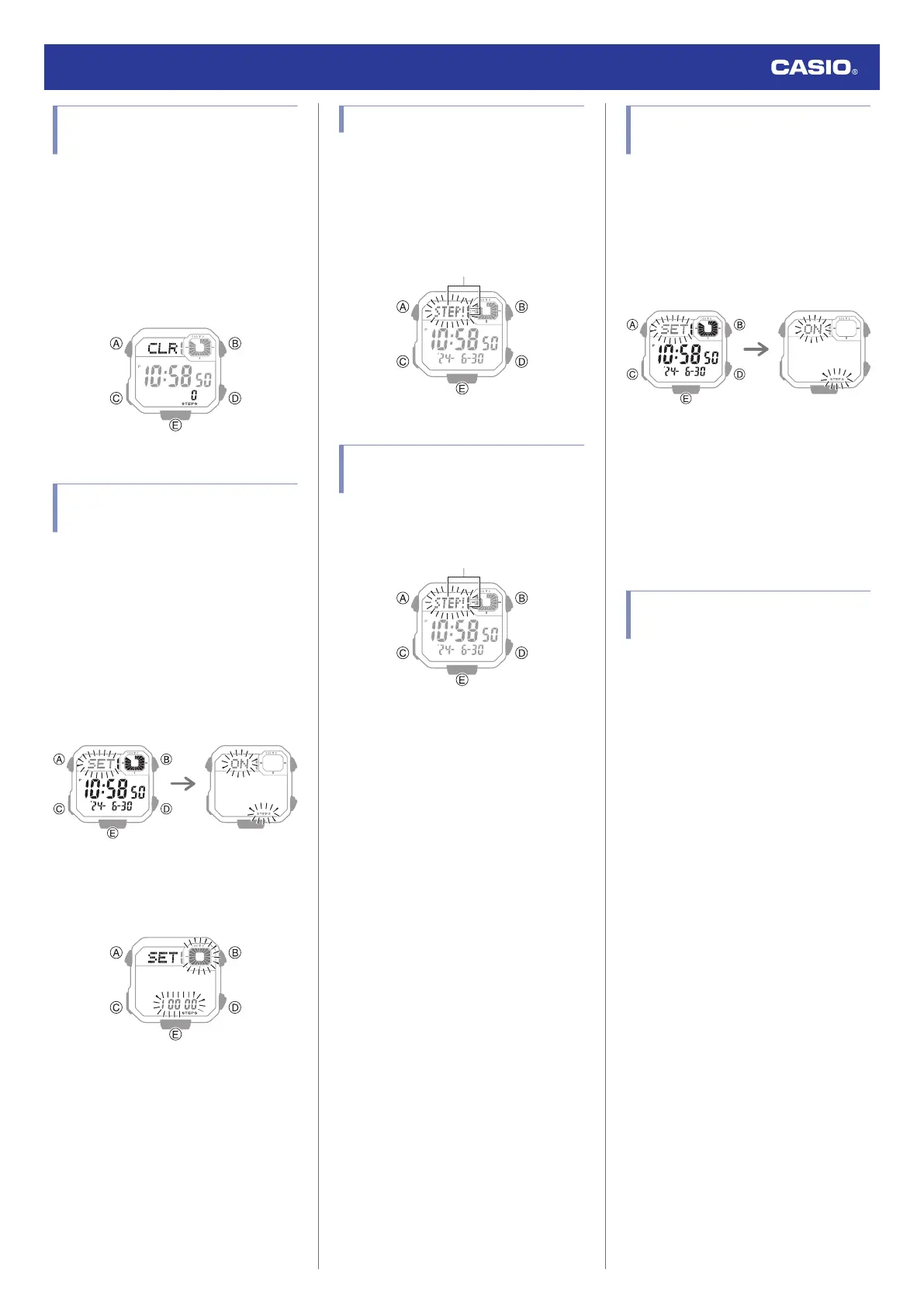
Resetting Today’s Step
Count
1. Enter the Timekeeping Mode.
l
Navigating Between Modes
2. Hold down (D) and (E) at the same time
for at least two seconds. Release the
buttons when [CLR] and the step count
stop flashing.
This resets the step count.
Specifying a Daily Step
Target
You can specify a daily step goal within the
range of 1,000 to 50,000, in units of 1,000
steps.
1. Enter the Timekeeping Mode.
l
Navigating Between Modes
2. Hold down (A) for at least two seconds.
This causes the current step reminder
setting ([ON] or [OFF]) to flash on the
display.
3. Press (C).
This causes the current daily step target
to flash.
4. Use (D) and (E) to specify a step count
target value.
5. Press (A) to complete the setting
operation.
Step Reminder
If the watch determines that you have not
walked for a preset amount of time, it will
sound a tone and display a flashing Step
Reminder indicator. If the watch performs this
Step Reminder alert operation, get up and
walk for five minutes to clear it.
Clearing a Step Reminder
Alert Indicator
To clear the step reminder alert indicator
([STEP!]), press any button besides (B).
Enabling/Disabling Step
Reminder
1. Enter the Timekeeping Mode.
l
Navigating Between Modes
2. Hold down (A) for at least two seconds.
This causes the current step reminder
setting ([ON] or [OFF]) to flash on the
display.
3. Press (D) to toggle Step Reminder
between enabled and disabled.
[ON]: Enabled
[OFF]: Disabled
4. Press (A) to complete the setting
operation.
Causes of Incorrect Step
Count
Any of the conditions below may make proper
counting impossible.
●
Walking while wearing slippers, sandals, or
other footwear that encourages a shuffling
gait
●
Walking on tile, carpeting, snow, or other
surface that causes a shuffling gait
●
Irregular walking (in a crowded location, in
a line where walking stops and starts at
short intervals, etc.)
●
Extremely slow walking or extremely fast
running
●
Pushing a shopping cart or baby stroller
●
In a location where there is a lot of vibration,
or riding on a bicycle or in a vehicle
●
Frequent movement of the hand or arm
(clapping, fanning movement, etc.)
●
Walking while holding hands, walking with
a cane or stick, or engaging in any other
movement in which your hand and leg
movements are not coordinated with each
other
●
Normal daily non-walking activities
(cleaning, etc.)
●
Wearing the watch on your dominant hand
●
Walking for 18 seconds or less
Watch Operation Guide 3564
25



 To Next Page