To Next PageTo Next Page
 Need help?
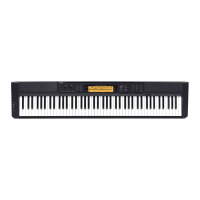
Do you have a question about the Casio CDP-S350 and is the answer not in the manual?
 General
| Brand | Casio |
|---|---|
| Model | CDP-S350 |
| Category | Musical Instrument |
| Language | English |
Provides a general overview of the digital piano's front panel controls and features.
Explains the functions and indicators of the digital piano's display screen.
Details how to connect and use the AC adaptor for powering the digital piano.
Instructions for powering the digital piano on and off, including auto power off.
Explains how to navigate and select tones, rhythms, songs, and presets by category.
Describes how to use the dial to change values and select menu items.
Guides on inputting text for naming data saved on USB flash drives or other inputs.
How to play two tones simultaneously (Layer) or different tones on left/right keyboard sections (Split).
Adjusts tone volume based on playing speed for expressive touch.
Adds echo and depth to the sound with various reverb effects.
A practice tool to help maintain a steady beat and tempo.
Explains how to connect and use the pedal for various sound effects like sustain.
Allows precise adjustment of the A4 note frequency for tuning with other instruments.
Adjusts the keyboard's tuning to different scales or temperaments.
Instructions on choosing and playing songs from the piano's internal library.
Enables repeating specific sections of a song by setting start and end points.
Allows practicing by muting one hand's part of a song and playing it on the keyboard.
Guides on activating and selecting basic rhythm patterns for practice.
Explains how to trigger accompaniment by playing chords with the left hand.
Details various methods for inputting chords to control the accompaniment.
Adds harmony to melody notes played with the right hand.
Records current piano settings (tone, rhythm, etc.) for quick recall.
Loads previously saved setups to restore piano configurations instantly.
Records keyboard performance, auto accompaniment, and other operations.
Allows adding multiple layers of performance to an existing recording.
Sets up pre-recording counts and metronome sounds for practice.
Guides on adjusting various system parameters and preferences.
Disables most button operations to prevent accidental changes during performance.
Resets the piano to factory defaults, deleting all user data.
Instructions on safely connecting and removing USB flash drives.
Prepares a USB flash drive for use with the digital piano, erasing all data.
Details saving, importing, renaming, and deleting data to/from USB drives.
Explains how to connect the piano to a computer for MIDI data exchange.
Guides on connecting the piano to external sound systems or amplifiers.
Connects the piano to a smart device for remote control and data transfer.
Provides solutions for common problems encountered with the digital piano.
Lists and explains error messages displayed by the digital piano.
Lists the technical details and features of the CDP-S350 digital piano.
Details the sounds assigned to keys for versatile tones, based on velocity.
Illustrates chord fingerings for various input modes on the keyboard.
Technical chart detailing MIDI message transmission and reception.