EasyManua.ls Logo

Casio EX-Z30/EX-Z40 - User Manual

Casio EX-Z30/EX-Z40
198 pages
Print Icon
To Next Page IconTo Next Page
Loading...
All example procedures in this User’s Guide are based
on the EX-Z40. The same procedures also apply to the
EX-Z30, unless specifically noted otherwise.
E
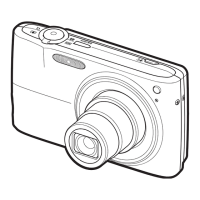
Digital Camera
EX-Z30/EX-Z40
User’s Guide
K871PCM1DMX-2
Thank you for purchasing this CASIO
Product.
Before using it, be sure to read the
precautions contained in this Users Guide.
Keep the Users Guide in a safe place for
future reference.
For the most up-to-date information about
this product, visit the official Exilim Website
at http://www.exilim.com/.
C

Table of Contents

Questions and Answers

  • A
    Anthony Hunt MDAug 17, 2025
    Why is the auto focus not working on my Casio EX-Z30/EX-Z40?
    • R
      Ricky AndersonAug 17, 2025
      If the auto focus on your Casio Digital Camera isn't working properly, the lens might be dirty, so clean it. Ensure the subject is centered in the focus frame when composing the image. If the subject is incompatible with Auto Focus, use manual focus. Also, avoid moving the camera; consider mounting it on a tripod.
  • S
    smithkyleAug 20, 2025
    What to do if Casio EX-Z30/EX-Z40 suddenly powers down?
    • W
      William JohnsonAug 20, 2025
      If your Casio Digital Camera suddenly powers down, it may be due to the Auto Power Off feature being activated; simply turn the power back on. Alternatively, the battery might be dead, so charge it.
  • R
    Ryan SullivanAug 23, 2025
    Why is the subject out of focus in my Casio Digital Camera images?
    • A
      Ana WhiteAug 23, 2025
      If the subject is out of focus in your recorded images with the Casio Digital Camera, make sure the subject on which you want to focus is located inside the focus frame when composing the image.
  • L
    Linda Haynes DVMAug 26, 2025
    Why is the monitor screen off on my Casio EX-Z30/EX-Z40 Digital Camera?
    • J
      jonesbobAug 26, 2025
      If the monitor screen is off on your Casio Digital Camera, USB communication might be in progress. After the computer stops accessing camera file memory, press the [USB] button on the USB cradle and ensure the [USB] lamp is off before removing the camera. Otherwise, the monitor screen might be turned off (in REC mode); press [DISP] to turn it on.
  • R
    Ronald WilliamsonAug 28, 2025
    Why is the monitor screen image out of focus on my Casio Digital Camera?
    • M
      Mrs. Samantha EdwardsAug 28, 2025
      If the monitor screen image is out of focus on your Casio Digital Camera, and you are using Manual Focus Mode, focus the image. If you're using Macro Mode for scenery or portrait shots, use Auto Focus instead. Conversely, if using Auto Focus or Infinity Mode for close-ups, switch to Macro Mode.
  • J
    Julia VasquezAug 31, 2025
    Why doesn't the flash fire on my Casio EX-Z30/EX-Z40?
    • P
      Parker McclainAug 31, 2025
      If the flash on your Casio Digital Camera isn't firing, several reasons could be the cause. First, check if (flash off) is selected as the flash mode and select a different flash mode. Also, the battery might be dead, so charge it. It could also be that the camera is in Movie mode, so select a different recording mode. Finally, a scene that selects (flash off) as the flash mode might be selected in the BESTSHOT Mode, so select a different flash mode or BESTSHOT scene.
  • D
    Donald MillerSep 2, 2025
    What to do if Casio EX-Z30/EX-Z40 images are not saved in memory?
    • C
      caleb73Sep 2, 2025
      If your Casio Digital Camera images aren't being saved in memory, the camera might be powering down before the save operation completes. When the battery indicator appears, charge the battery as soon as possible. Also, do not remove the memory card before the save operation is complete.
  • S
    Sara SalazarSep 5, 2025
    Why does my Casio EX-Z30/EX-Z40 Digital Camera power down during self-timer countdown?
    • J
      Jeffrey LangSep 5, 2025
      If your Casio Digital Camera powers down during the self-timer countdown, the battery is likely dead. Charge the battery.
  • R
    Rebecca FranklinSep 8, 2025
    Why is the color of the playback image different on my Casio EX-Z30/EX-Z40 Digital Camera?
    • K
      Kevin LeachSep 8, 2025
      If the color of the playback image differs from what you saw on the monitor screen during recording with your Casio Digital Camera, sunlight may be shining directly into the lens. Position the camera so sunlight does not shine directly into the lens.
  • N
    Nancy SteinSep 12, 2025
    What to do if all buttons and switches are disabled on Casio Digital Camera?
    • C
      Christie FernandezSep 12, 2025
      If all buttons and switches are disabled on your Casio Digital Camera, it may be due to a circuit problem caused by electrostatic charge or impact while connected to another device. Remove the battery, reinsert it, and try again.

Casio EX-Z30/EX-Z40 Specifications

General IconGeneral
BrandCasio
ModelEX-Z30/EX-Z40
CategoryDigital Camera
LanguageEnglish

Related product manuals