EasyManua.ls Logo

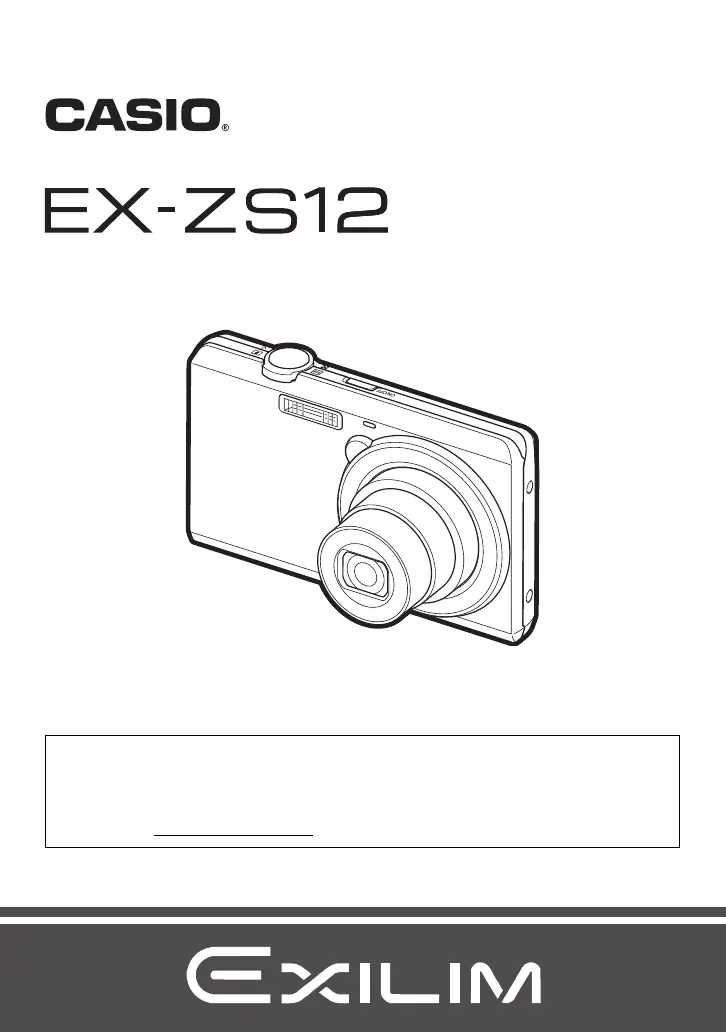
Casio Exilim EX-ZS12 - User Manual

Casio Exilim EX-ZS12
136 pages
Print Icon
To Next Page IconTo Next Page
Loading...
1
E
Thank you for purchasing this CASIO product.
Before using it, be sure to read the precautions contained in this User’s Guide.
Keep the User’s Guide in a safe place for future reference.
For the most up-to-date information about this product, visit the official EXILIM
Website at http://www.exilim.com/
Digital Camera
User’s Guide

Table of Contents

Questions and Answers

  • M
    Michael MorrisAug 18, 2025
    Why does my Casio Digital Camera suddenly power down?
    • R
      Ricardo MarshallAug 18, 2025
      If your Casio Digital Camera powers down suddenly, it could be due to several reasons. First, the Auto Power Off feature may have activated; simply turn the power back on. Second, the battery might be dead, so charge it. Third, the camera's protection function may have activated due to high temperature; turn off the camera and allow it to cool down before using it again.
  • R
    ryan65Aug 20, 2025
    How to fix Casio Digital Camera if power does not turn on?
    • K
      Katelyn GutierrezAug 21, 2025
      If your Casio Digital Camera's power does not turn on, it could be due to the following reasons: the battery may not be loaded correctly; make sure it is correctly installed. Alternatively, the battery may be dead; charge the battery. If the battery discharges quickly after being charged, it likely needs to be replaced. Consider purchasing a new CASIO NP-120 rechargeable lithium ion battery.
  • R
    reillydanielleAug 23, 2025
    How to fix auto focus on Casio Exilim EX-ZS12?
    • R
      Robert ClarkAug 23, 2025
      If the auto focus on your Casio Digital Camera is not focusing properly, try the following: Clean the lens if it's dirty. Ensure the subject is in the center of the focus frame. If the subject isn't compatible with Auto Focus, use manual focus. Avoid moving the camera while shooting. Half-press the shutter button and allow enough time for Auto Focus to focus.
  • C
    Christine LeAug 26, 2025
    What to do if the image is not recorded when the shutter button is pressed on Casio Digital Camera?
    • P
      Patrick CarterAug 26, 2025
      If images are not being recorded when you press the shutter button on your Casio Digital Camera, first ensure that the camera is in REC mode by pressing the REC button if it's in PLAY mode. Also, if the flash is charging, wait for it to finish. Finally, if a “Memory Full” message appears, transfer images to your computer, delete unnecessary images, or use a different memory card.
  • J
    Jane AyalaAug 28, 2025
    Why does the flash not fire on my Casio Exilim EX-ZS12?
    • V
      Virginia MitchellAug 28, 2025
      If the flash on your Casio Digital Camera is not firing, first check if the flash mode is set to Flash Off. If it is, change to another mode. Also, ensure the battery is sufficiently charged. Lastly, if a BEST SHOT scene that uses Flash Off is selected, switch to a different flash mode or BEST SHOT scene.
  • R
    randallhortonAug 30, 2025
    Why does language selection screen appear on my Casio Exilim EX-ZS12?
    • T
      tina32Aug 30, 2025
      If your Casio Digital Camera is displaying the language selection screen when turned on, it may be because the initial settings were not configured after purchase, or the camera was left with a dead battery. Check the camera setup. If the issue persists, there may be a problem with the camera’s memory data. In this case, reset the camera to initialize its setup. If the language selection screen continues to appear after resetting, contact your retailer or a CASIO authorized service center.
  • J
    James RhodesSep 2, 2025
    Why does my Casio Digital Camera power down during Self-timer countdown?
    • T
      Tyler LongSep 2, 2025
      If your Casio Digital Camera powers down during the Self-timer countdown, the battery may be dead. Charge the battery.
  • E
    Emma MorrisonSep 4, 2025
    Why can't I transfer images from Casio Exilim EX-ZS12 via USB?
    • K
      Kimberly NguyenSep 4, 2025
      If images cannot be transferred over a USB connection with your Casio Digital Camera, first check that the USB cable is securely connected. Ensure the correct USB communication protocol is selected according to the device you are connecting to. Also, make sure the camera is turned on. Finally, connect the camera directly to your computer’s USB port instead of using a USB hub.
  • J
    Joseph AllenSep 7, 2025
    How to brighten faces in photos taken with Casio Exilim EX-ZS12 Digital Camera?
    • B
      bridgesluisSep 7, 2025
      To resolve dark faces in images taken with your Casio Digital Camera in bright lighting, change the flash mode setting to Flash On for daylight synchro flash, or adjust EV shift to the + side.
  • A
    Aaron AdamsSep 9, 2025
    What to do if Casio Exilim EX-ZS12 Digital Camera power will not turn off?
    • L
      luiswatersSep 10, 2025
      To turn off your Casio Digital Camera when it will not turn off or when nothing happens when a button is pressed, remove the battery from the camera and then reload it.

Casio Exilim EX-ZS12 Specifications

General IconGeneral
BrandCasio
ModelExilim EX-ZS12
CategoryDigital Camera
LanguageEnglish

Related product manuals