E-47
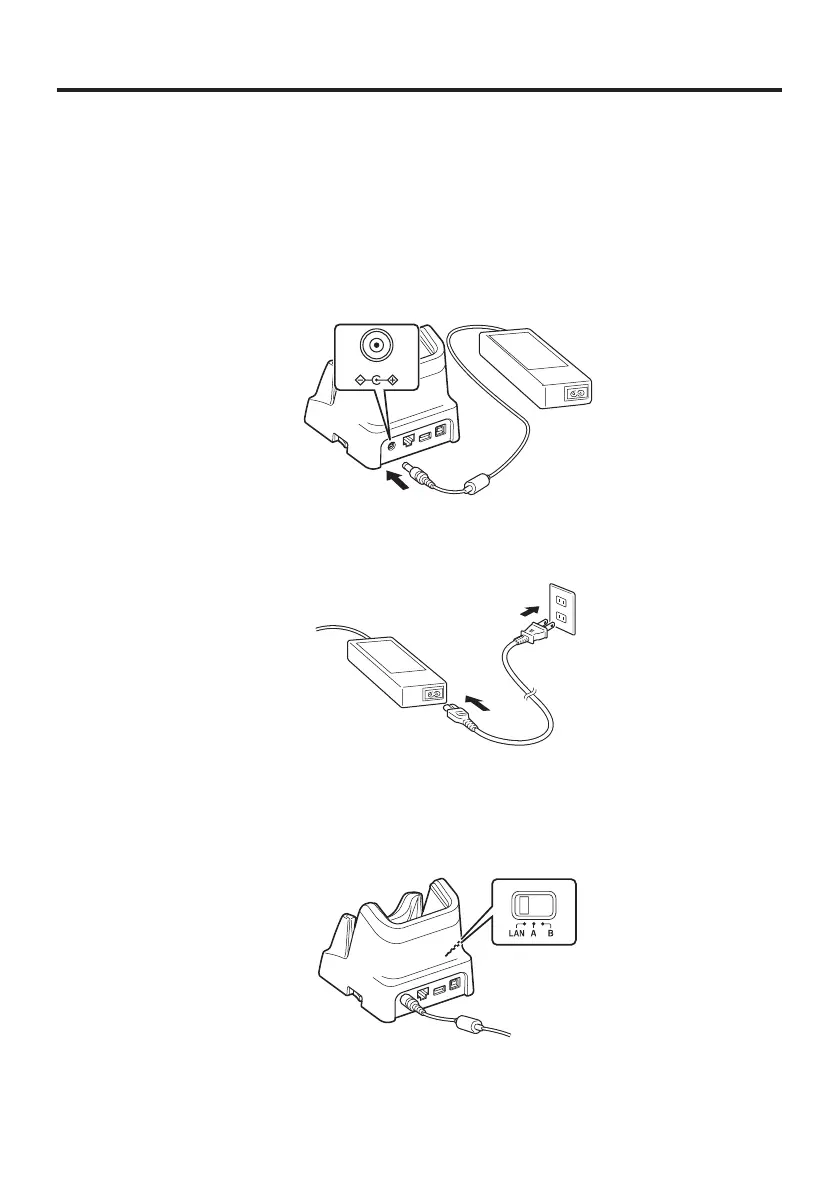
Connecting the Cradle Power Supply
Use the dedicated AC adapter (sold separately) as the power supply for the USB cradle,
Ethernet cradle and cradle-type battery charger.
Power for the IT-G500 is supplied from the connected devices. The Ethernet cradle is
used as an example in this description.
1. Plug the AC adaptor into the AC adaptor jack on the back of the Ethernet Cradle.
2. After connecting the power cable to the AC adaptor, plug the other end of it into an
electrical outlet.
3. Use the selector switch on the left side of the Ethernet Cradle to select the port to be
used. Set the switch to the “LAN” position when using the LAN port on the cradle.
Set the switch to the “B” position when using the unit as a USB client, or set it to the
“A” position when using the unit as a USB host.














 To Next Page