20
PART 1 Getting Started
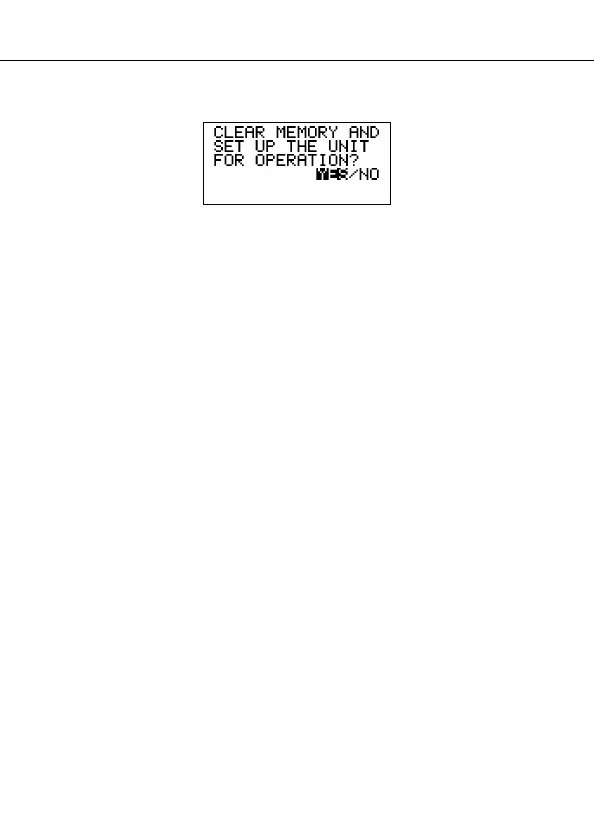
• At this time the following message appears on the display.
3. Make sure that YES is highlighted. If NO is highlighted, press H to move the
highlighting to YES.
Warning!
The next step deletes all data stored in the SF Unit’s memory. Make sure
that you really want to delete the data before you continue!
4. Press SET to start the RESET procedure.
• After the RESET operation is complete, the LANGUAGE screen appears on
the display.
5. Use the procedure under “To select the system language” on page 5 to select
a system language.
• After you set the system language, the Home Time Screen appears.
6. Check the Home Time setting and make changes if necessary (page 71).
Following the reset operation described above, the Home Time display appears
and the SF Unit settings are initialized as noted below.
Home Time: LON
JAN/ 1/2000 SAT
12:00 AM
12-hour format
World Time: NYC
Daily Alarm: 12:00 PM
Sound: Schedule alarm — ON
Reminder alarm — ON
Daily alarm — OFF
Key — ON
Messages: English
Character input: CAPS


 To Next Page