92
PART 5 Calculator Functions
3. Press
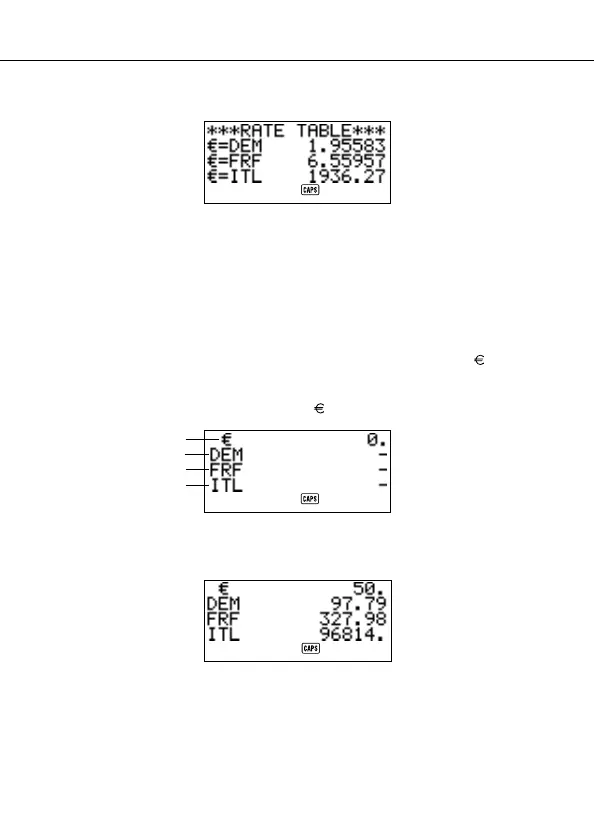
2 to select RATE TABLE.
• Press ESC to return to the Euro Conversion Mode initial screen.
To perform the currency conversion
The following examples assume that the pre-programmed currencies DEM, FRF
and ITL are already selected.
Example 1
How many 2 DEM (marks), 3 FRF (francs) and 4 ITL (lira) are 1 50
(euros)?
1. Enter the Euro Conversion Mode.
2. Use K and L to move the cursor to (euros).
3. Input 5 0.
4. Press
SET or =.
1
2
3
4


 To Next Page