85
Example 2
Add the following cross conversion rate to the rates you set in Example 1,
above.
$1 1 = ¥105 3
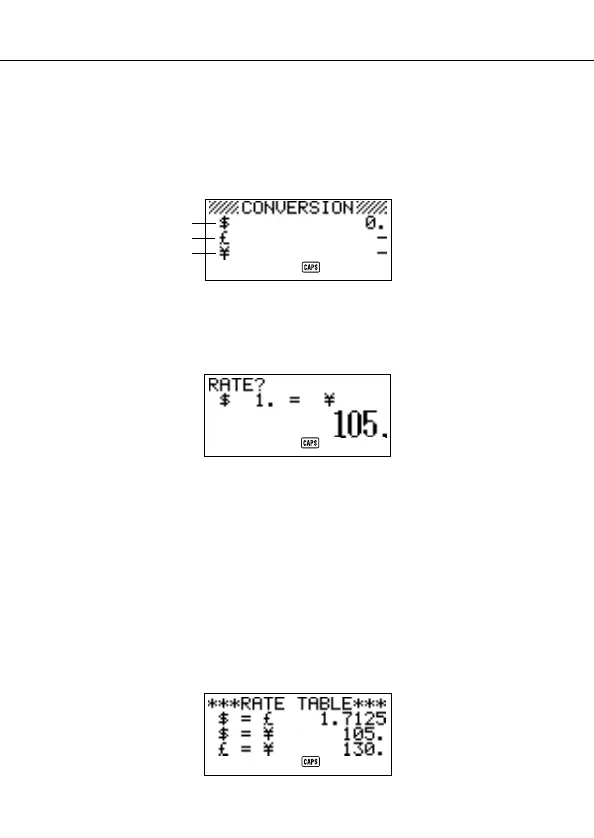
9. Enter the General Conversion Mode.
10. Use K and L to move the cursor to 3 ¥ (yen), and then press FUNC.
11. Press
1 to select SETTINGS.
12 Press
SET.
13. Input the current exchange rate for the number of yen 3 per dollar 1.
14. Press SET.
Note
• The interrelationship between rate 2 and rate 3 remains in accordance with
the settings you made in step 7 of Example 1.
15. Press
SET.
To view the current General Conversion Mode rates
1. Enter the General Conversion Mode
2. Press
FUNC.
3. Press
2 to select RATE TABLE.
• Press ESC to return to the General Conversion Mode initial screen.
Using the General Conversion Mode
1
2
3


 To Next Page