21
PART 2
Operation Reference
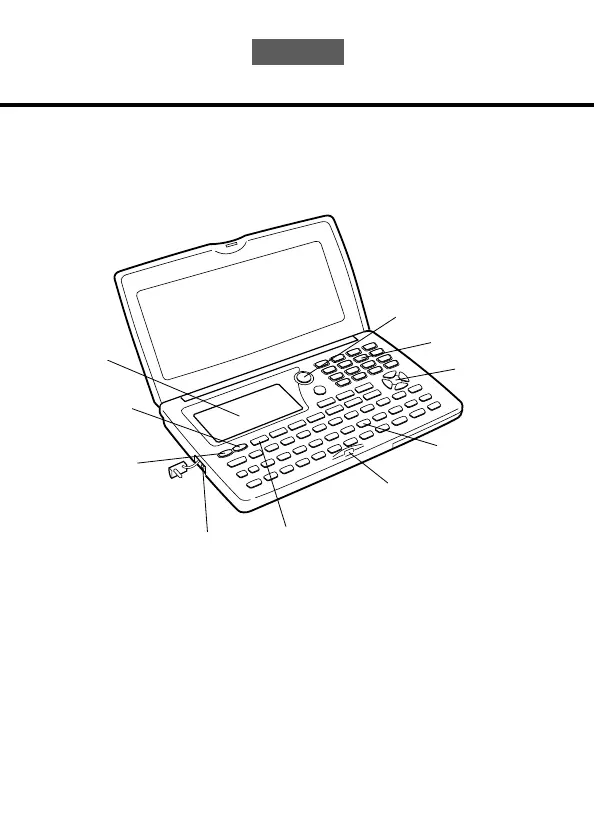
General Guide
The following illustration shows the names of the main controls of the SF-4900ER/
SF-4980ER/SF-4985ER.
Setting Up the SF Unit
After batteries are loaded, use the following procedures to set up the SF Unit for
operation.
To switch power on and off
1. Press ON to switch power on.
• The initial screen for the mode that was selected when you last switched
power off appears on the display.
Display
Mode Keys
Keyboard
Cursor Keys
Lock
Connector
Terminal
Power OFF
key
Power ON/
Clear key
Numeric
Keys
Light key


 To Next Page