24
PART 2 Operation Reference
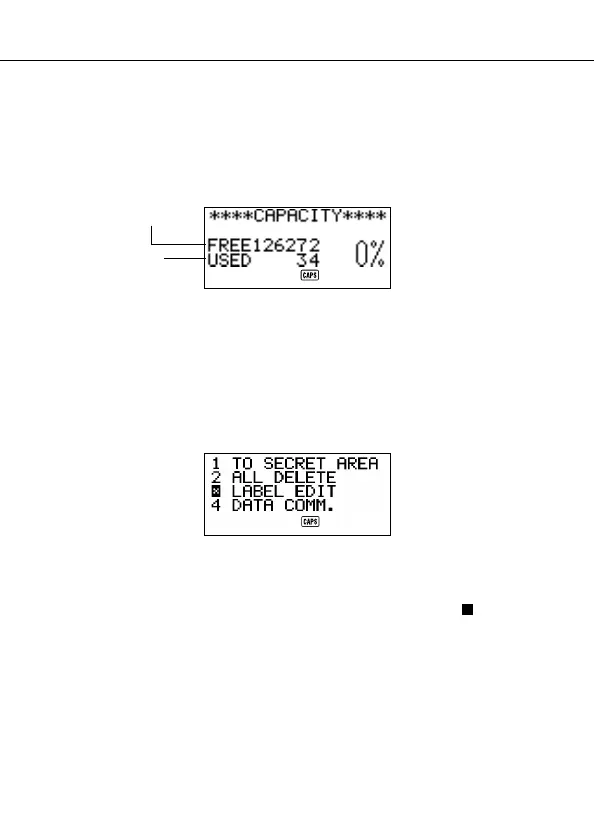
To check the memory status
Press SHIFT and then hold down CAPA to display a screen that shows the
current memory status. To clear the memory status display, release
CAPA.
You can enter any mode except the Calculator Mode, Conversion Mode and
Home/World Time Mode here.
Note
The screen example shown here is the SF-4900ER. The capacity values (FREE
and USED total) is different on the SF-4980ER/SF-4985ER display.
To use the FUNCTION key
Press the FUNC key to display a function menu that makes it possible to perform
functions that are not marked on the unit’s keys.
Just like in the above example display, all of the functions included in a function
menu have a number at the beginning. Press the number key that corresponds
to the function you want to perform.
Whenever a function menu item’s leading number is replaced by “ x ”, it means
you can’t select that menu item in the operation you are performing.
Remaining memory
capacity
Total number of
characters stored in
memory


 To Next Page