EasyManua.ls Logo

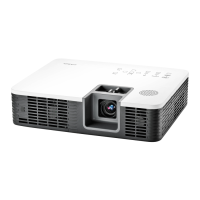
Casio XJ-H2600 - User Manual

Casio XJ-H2600
74 pages
Print Icon
To Next Page IconTo Next Page
Loading...
DATA PROJECTOR
User’s Guide
z Be sure to read the precautions in the Quick Start Guide that
comes with the Data Projector.
z Be sure to keep all user documentation handy for future
reference.
z To obtain the latest version of this manual visit the website at the
URL below.
http://world.casio.com/manual/projector/
XJ-H2600/XJ-H2650
*
* USB Port Models
E

Table of Contents

Questions and Answers

  • D
    Daniel RichAug 19, 2025
    What to do if my Casio XJ-H2600 shows no image or the projected image is abnormal?
    • C
      Christopher StephensonAug 19, 2025
      If you're not seeing an image or the projected image is abnormal, ensure that the computer or video device connected to the projector is turned on and outputting a video signal. Also, verify that the correct input source is selected on the projector to match the connected device. If you are using the component output terminal of a video device, connect it to the VIDEO or S-VIDEO terminal of the projector instead of the COMPUTER IN terminal.
  • A
    alyssa05Aug 21, 2025
    What to do if my Casio XJ-H2600 Projector USB or LAN connection was terminated?
    • B
      Barbara MorrisonAug 21, 2025
      To restore the USB or LAN function, turn off the projector and then turn it back on again. Press the [ESC] key to clear the warning message. If the error occurs again when you turn power back on, contact your retailer or authorized CASIO Service Center.
  • D
    dlaneAug 23, 2025
    Why does my Casio Projector power off automatically due to internal overheating?
    • B
      Brian WarrenAug 25, 2025
      The projector may be automatically shutting down due to internal overheating. First, check the projector's vents for any blockages and ensure there's sufficient space around it. If dust has accumulated around the vents, remove it. If the POWER/STANDBY indicator is lit amber (without flashing), try turning the power back on. If the issue persists, it is recommended to contact your retailer or an authorized CASIO Service Center.
  • S
    Susan Mercado MDAug 26, 2025
    How to fix high internal temperature in Casio Projector?
    • D
      Debra GarciaAug 26, 2025
      If the projector's internal temperature is too high, press the [ESC] key to clear the warning message. Check that the projector's vents are not blocked and that there is enough space around it. If dust has gathered around the vents, turn off the projector and remove the dust.
  • J
    Jesse HendersonAug 28, 2025
    What to do if my Casio Projector has no sound?
    • M
      Morgan SchroederAug 28, 2025
      If there is no sound, first check the projector's volume level and make sure it is not too low or muted. You can adjust the volume using the remote controller. Also, check the volume level of the device connected to the projector and ensure it is outputting audio. Verify that the audio output of the connected device is correctly connected to the projector's AUDIO IN terminal. Finally, ensure the setup menu “Audio Out” setting is set to “Speaker” and not “Line”.
  • K
    Kelly JohnsonAug 30, 2025
    What to do if my Casio Projector has a system problem?
    • D
      Dr. Jasmine JenkinsAug 30, 2025
      If a system problem occurs, confirm that the POWER/STANDBY indicator is lit red (without flashing). Then, disconnect the power cord from the projector and wait for all indicators to go out. Reconnect the power cord and turn the projector back on. If the error persists, it is recommended to contact your retailer or an authorized CASIO Service Center.
  • C
    Christian ChangSep 1, 2025
    What to do if my Casio Projector text is blurry?
    • D
      Derek MaddoxSep 1, 2025
      If the text appears blurry, rotate the focus ring to focus the image. If the input source is an RGB signal, press the [AUTO] key to execute an automatic adjustment. If the input source is a video camera or document camera, check to make sure there is no problem with the input source device.
  • J
    johndeanSep 3, 2025
    What to do if my Casio Projector remote controller does not work?
    • J
      Joshua BrooksSep 3, 2025
      If the remote controller isn't working, first replace the batteries. If that doesn't solve the problem, make sure you are operating the remote controller within its allowable range.
  • A
    Amanda MillerSep 5, 2025
    What to do if my Casio XJ-H2600 Projector displays strange color?
    • M
      Melissa DelacruzSep 5, 2025
      If the colors appear strange, try the following: use the [BRIGHT] key to adjust image brightness, use the [COLOR MODE] key to change the color mode, or use “Image Adjustment 1 J Color Balance” on the setup menu to adjust the projection image color balance.
  • J
    James FarrellSep 7, 2025
    What does it mean if the TEMP or LIGHT indicator is flashing or lit on my Casio XJ-H2600 Projector?
    • C
      Craig WilliamsSep 7, 2025
      If the TEMP or LIGHT indicator is flashing or lit, it indicates that an error has occurred.

Casio XJ-H2600 Specifications

General IconGeneral
BrandCasio
ModelXJ-H2600
CategoryProjector
LanguageEnglish

Related product manuals