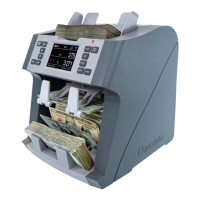
Cassida 8800R Mixed Currency Counter & Sorter
This mode is available by either pressing the MODE button or by pressing the mode name on the
screen until ‘’ORIENT’’ is displayed on the home screen.
ORIENTATION mode allows the user to count and sort bills by one of the 4 orientations. The first bill in
the hopper determines the counting orientation. Any time a bill passes through the machine and does
not conform to the orientation determined by the first bill, the machine will stop and display a message
on the screen with the instructions to remove the nonconforming bill from the stacker. This bill will not be
added to the count. Total number of bills and total value will be displayed on the home screen.
When operation is complete, you can view a detailed report by pressing the REPORT button.
To return to ORIENTATION mode from another mode, press the MODE button, or on the touch screen
press the mode name, until “ORIENT” is displayed.
This mode is available by either pressing the MODE button or by pressing the mode name on the
screen until “COUNT” is displayed on the home screen.
COUNT mode allows the user to simply count the total number of bills. It does not recognize or record
the denomination of any bills. During COUNT mode, there is no counterfeit detection active.
To return to COUNT mode from another mode, press the MODE button, or on the touch screen press the
mode name, until “COUNT” is displayed.
3.6 Orientation Mode
3.7 Count Mode
15


 To Next Page