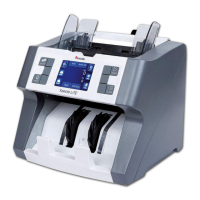
Cassida Xpecto MIX value counter
moving money forward
19
18
This function is
available only in
DENOMINATION
and MIX modes
ORIENT
FACE
OFF
2.3.8 Face Sorting Mode (FACE)
The face sort mode ( ) is used to sort bills in orientations A and B or C/D (the front FACE
side/Rear side of the banknote). The orientation is determined by the first counted bill,
which will be considered the reference note. The counter will stop for an error if the
banknote orientation is different from the reference note that was first counted.
This mode is active in MIX & DENOMINATION mode.
To turn on the mode, press the button. To turn the mode off, press the button FACE OFF
again. To exit, press the button.BACK
1)
0
PCS
0
ADDMIX
DENOM
COUNT
FUNC
TOTAL
AUTO SPEED:1200
BATCH
ISSUE ORIENTATION
A-ADD
FACE
10
20
50
SUM
0
PCS
0
ADDMIX
DENOM
COUNT
FUNC
TOTAL
AUTO SPEED:1200
BATCH
ISSUE ORIENTATION
A-ADD
FACE
10
20
50
SUM
2)
ENTER
BACK
2.Speed
4.Auto ADD
5.Auto start
1.Batch
6.Issue
3.Orientation
BACK
2.3.9 Auto ADD mode (A-ADD)
In active (A-ADD) mode counter will count and sum all bills, which placed in AUTO ADD
hopper.
Summation will continue until the hopper contains bills. Once the bills in hopper run out,
next count will start from null. This mode is useful to count several packs of bills to get total
sum of it. You do not need to reset the result of the recalculation. it happens automatically.
To turn on mode press button. To turn the mode off, press the button AUTO ADD ON OFF
again. To exit, press the button.BACK
1)
2)
AUTO ADD
function
ON
0
PCS
0
ADDMIX
DENOM
COUNT
FUNC
TOTAL
AUTO SPEED:1200
BATCH
ISSUE ORIENTATION
A-ADD
FACE
10
20
50
SUM
0
PCS
0
ADDMIX
DENOM
COUNT
FUNC
TOTAL
AUTO SPEED:1200
BATCH
ISSUE ORIENTATION
A-ADD
FACE
10
20
50
SUM
ENTER
BACK
2.Speed
5.Auto start
1.Batch
6.Issue
3.Orientation
4.Auto ADD
BACK



 To Next Page