7
Cat litter
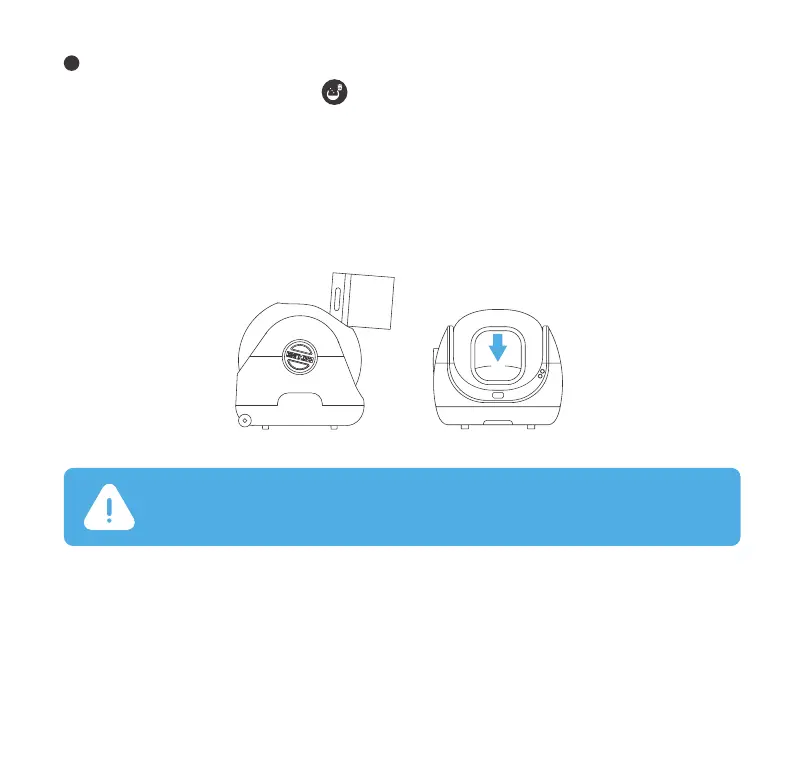
(1) Press the Add/Empty Button [ ] to turn the Globe upwards.
(2) Once the rotation has stopped, add 4L of cat litter.
(3) After adding litter, press the Add/Empty Button again to level the litter and reset the Globe.
(4) After leveling litter, make sure that the amount added does not exceed the Max line to avoid
wasting litter.
NOTE: Press the Add/Empty Button once before adding litter each time. After adding
litter, press the Add/Empty Button again to level it. If you forget to press the Add/Empty
Button before adding litter, be sure to run a cleaning cycle after adding litter.
MAX
4L
6
Toll free: +1 833 440 2772 Email: support@catlink.cn



 To Next Page