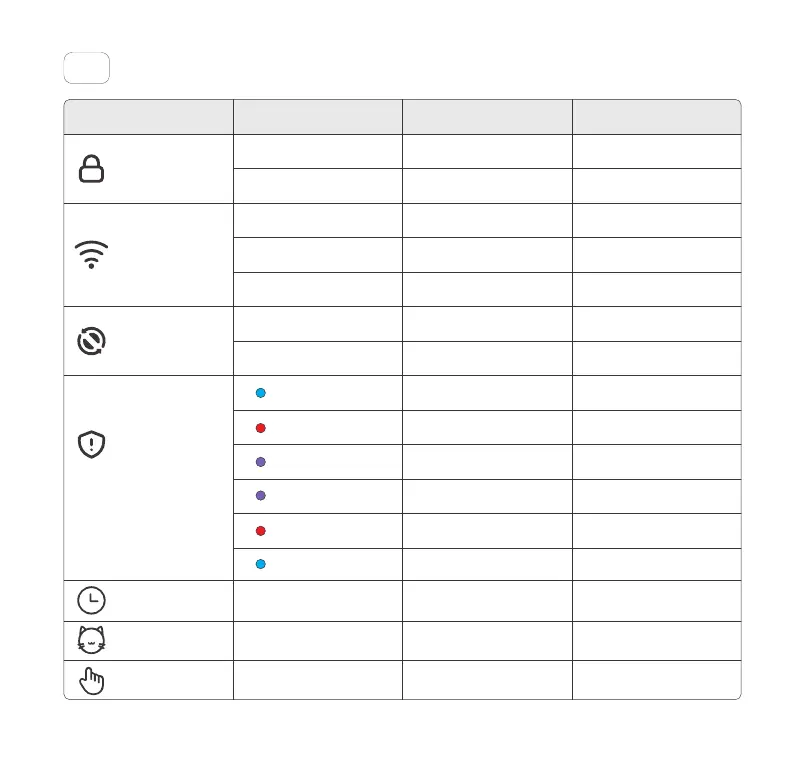
Indicator06
StatusIndicator Lights Explanation Note
ON
ON
OFF
Flashing
ON
OFF
OFF
Panel Lock On
Panel Lock Off
The Unit is in Empty Mode.
Wi-Fi connecting
Wi-Fi connected
Wi-Fi not connected
The Unit is in Clean Mode.
Infrared induction protection
Weighing induction protection
The left/right/both Side Covers
are not installed properly.
Panel Lock
Wi-Fi
Safety Indicator
Empty Mode
The Unit in this state can't
clean.
The Unit in thisstate can't
empty.
The Unit suspends the
operation.
The Unit suspends the
operation.
The Unit suspends the
operation.
Motor failure
The Unit suspends the
operation.
ON
ON
ON
Waste Bin Full
Weighing calibration
The Unit is in timer Mode.
The Unit is in auto Mode.
The Unit is in manual Mode.
Safety Indicator
Safety Indicator
Manual Mode
Toll free: +1 833 440 2772 Email: support@catlink.cn
Blue Light On
Red Light On
Purple Light On
Purple Light Flashing
Fast
Red and Blue Alternately
Flashing
Blue Light Flashing
9



 To Next Page