Weighing
calibration
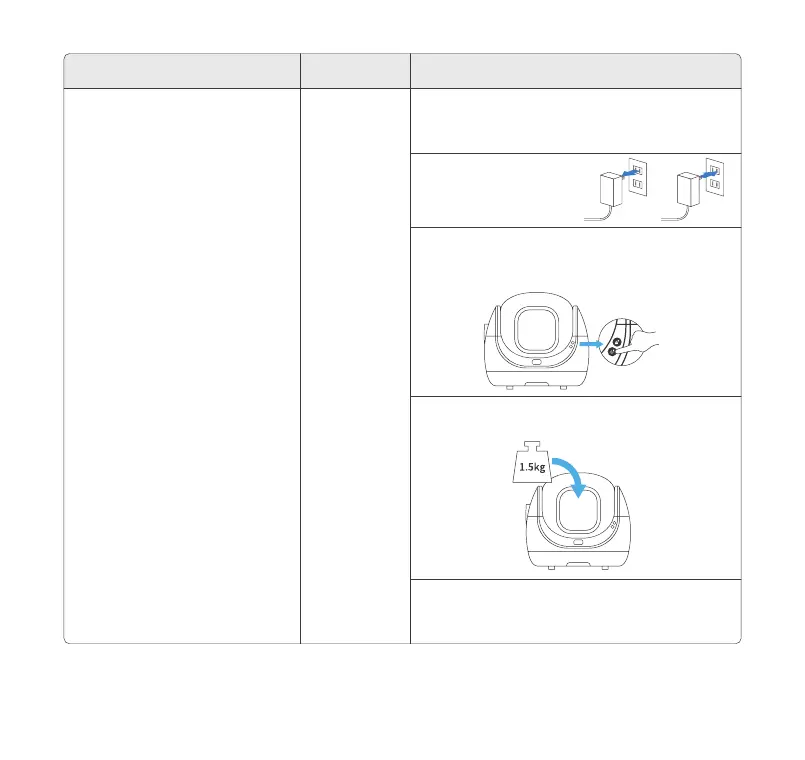
1. Choose a reference. It can be any item that
weighs 3.3 lbs such as three 16.9 fl oz bottles of
water.
4. Put the reference in the Globe.
3. Press and hold the Add/Empty Button for 10
seconds, and release it after hearing 2 beeps. The
Safety Indicator light will flash blue.
5. The blue light of the Safety Indicator is on, and
after hearing a beep, the weighing calibration is
completed.
2. Unplug and restart.
The weighing data is inaccurate
(The inaccuracy caused by the use
environment has been excluded)
SolutionTrouble Steps
Toll free: +1 833 440 2772 Email: support@catlink.cn
13



 To Next Page