20
- LCD Display Functions -
Program Mode Display Windows
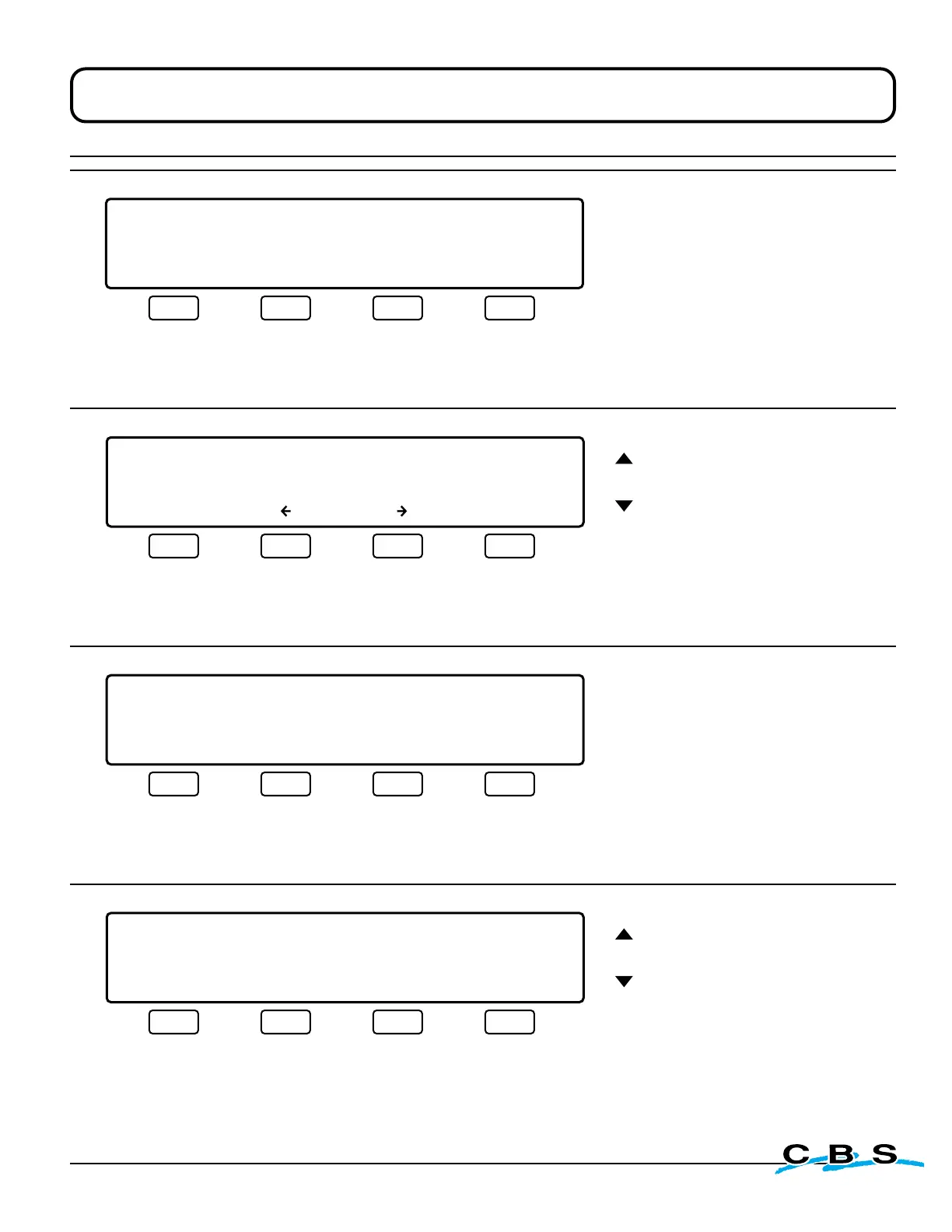
LIQUID LEVEL XX.XCM LID TEMP.-XXX C
PROGRAM MODE
LIQUID LEVEL DISPLAY UNITS: INCHES
INCHES CENTIMETERS MAIN MENU
#15
o
This display will appear when
"LIQ'D LEVEL" is selected on
display #4.
Use this menu to select measure-
ment preferences for the liquid
level settings, i.e. inches or cm.
Press this button to
select INCHES and
advance to display #16
(next)
Press this button to
select CENTIMETERS
and advance to
display #16
(next)
Press this button to
discard changes and
return to display #4:
MAIN MENU
(see page 18)
LIQUID LEVEL XX.XCM LID TEMP.-XXX C
PROGRAM MODE
HI SET: _ IN LOW SET: _ IN
ENTER MAIN MENU
#16
o
These arrows
adjust values
This display will
appear when "INCHES"
or "CENTIMETERS" is
selected on display #15.
Use this menu to
select HI and LOW liquid
level settings.
Press this button to
save settings and
return to display #4:
MAIN MENU
(see page 18)
Press this button to
move cursor to
HI SET
Press this button to
move cursor to
LOW SET
Press this button to
discard changes and
return to display #4:
MAIN MENU
(see page 18)
LIQUID LEVEL XX.XCM LID TEMP.-XXX C
PROGRAM MODE
LID TEMP
F C MAIN MENU
oo
o
#19
This display will appear when
"LID TEMP" is selected on
display #5.
Use this menu to select temper-
ature preferences, i.e. ˚F or ˚C.
Press this button to
select degrees
Fahrenheit and
advance to display #20
(next)
Press this button to
select degrees
Celsius and advance
to display #20
(next)
Press this button to
discard changes and
return to display #4:
MAIN MENU
(see page 18)
o
o
LIQUID LEVEL XX.XCM LID TEMP.-XXX C
PROGRAM MODE
LID TEMP ALARM: -100 C
ENTER MAIN MENU
#20
These arrows
adjust value
This display will
appear when "˚F" or "˚C"
is selected on display #19.
Use this menu to select
a temperature for the
Lid Temp alarm to be
activated.
Press this button to
save changes and
return to display #4:
MAIN MENU
(see page 18)
Press this button to
discard changes and
return to display #4:
MAIN MENU
(see page 18)
www.custombiogenics.com



 To Next Page