21
- LCD Display Functions -
Program Mode Display Windows
o
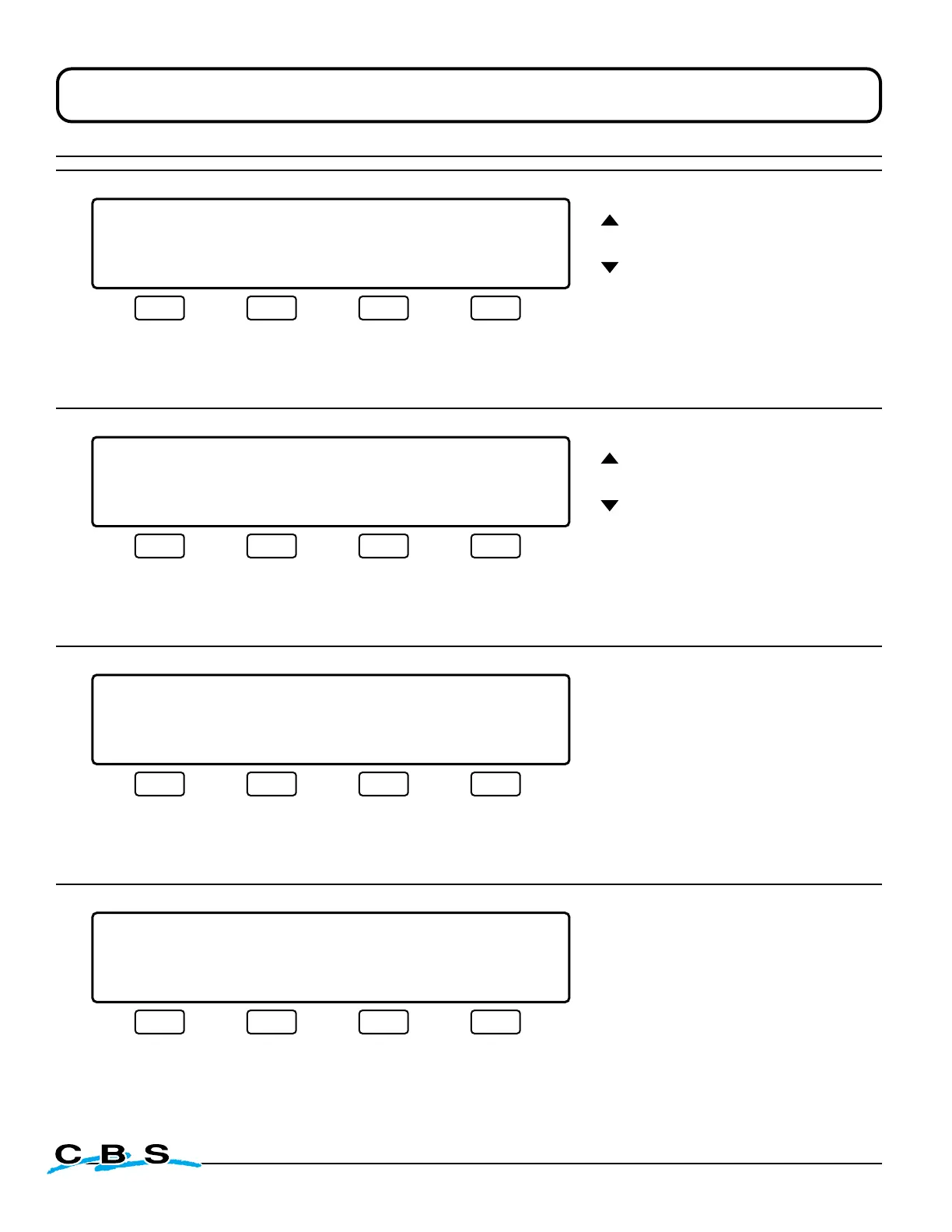
LIQUID LEVEL XX.XCM LID TEMP.-XXX C
PROGRAM MODE
PRINT TEMP. EVERY 4 HRS.
ENTER MAIN MENU
#22
These arrows
adjust time
increments
This display will appear
when "REPORT" is
selected on display #5.
Use this menu to select
the time interval between
temperature reports.
NOTE: A value of "––"
means Temp Report
printing is disabled.
Press this button to
save changes and
advance to display #23
(next)
Press this button to
discard changes and
return to display #5:
MAIN MENU 2
(see page 18)
o
LIQUID LEVEL 00.0CM LID TEMP.-196 C
PROGRAM MODE
PRINT REPORT EVERY 3 DAYS
PRINT NOW ENTER MAIN MENU
#23
These arrows
adjust print time
increments
This display will appear
when "ENTER" is select-
ed on display #22.
Use this menu to select
number of days between
temperature reports.
NOTE: A value of "––"
means Temp Report
printing is disabled.
Press this button to
print report instantly
Press this button to
save changes and
return to display #5:
MAIN MENU 2
(see page 18)
Press this button to
discard changes and
return to display #5:
MAIN MENU 2
(see page 18)
o
LIQUID LEVEL 00.0CM LID TEMP.-196 C
PROGRAM MODE
BYPASS OPTION CURRENTLY: OFF
ON MAIN MENU
#24
This display will appear when
"BYPASS" is selected on display #5.
This menu is a prompt to enable
or disable the Bypass Option.
Press this button to
change current setting
and return to display
#4: MAIN MENU
(see page 18)
Press this button to
maintain current setting
and return to display
#4: MAIN MENU
(see page 18)
LIQUID LEVEL XX.XCM LID TEMP.-XXX C
CONTROL VALIDATION
TESTING: BUZZER
TEST PASS FAIL SKIP
#40
o
This display will appear when
"VALIDATION" is selected on
display #6.
This menu tests the audible
alarm.
This is the first in a series of
test menus which will appear in
sequence when "PASS", "FAIL"
or "SKIP" is selected for each
function being tested.
Press this button to
test audible alarm.
Buzzer should sound
Press this button if
test passes, to
advance to display
#41A and next test
(next on page 22)
Press this button if
test fails, to advance
to display #41A and
next test
(next on page 22)
Press this button to
skip test and
advance to display
#41A and next test.
(next on page 22)



 To Next Page