User Manual
23
5.2.6.5 Motion Detect
5.2.7 System Function
5.2.7.1 Time Set
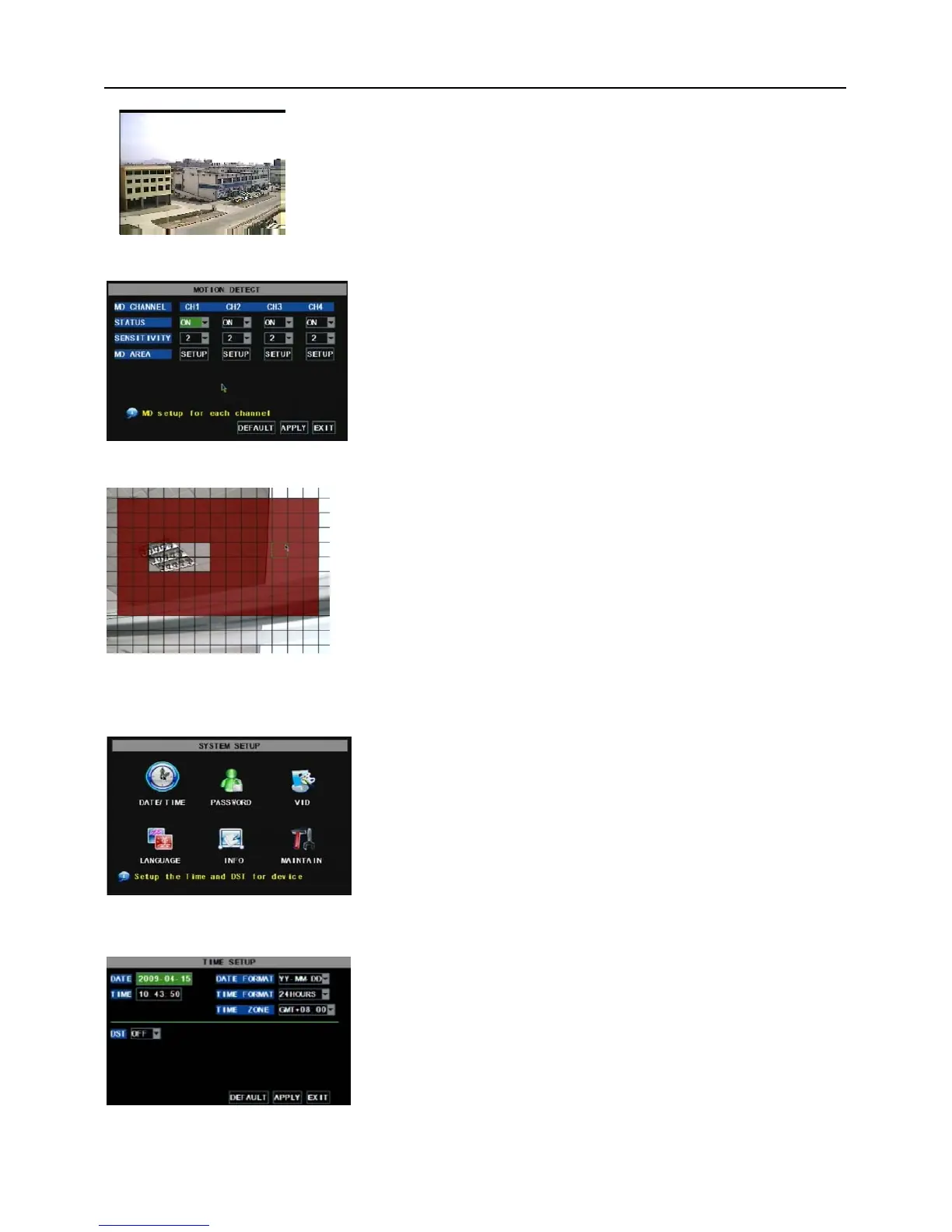
Click [MainDeviceMotion] to enter into the [Motion Detection]
menu to setup motion detection recording.
The [Motion detection] Menu has three sections, including
Channel Status, Sensitivity and Motion area.
Channel STATUS: This option allow you enable motion detection
on any channel.
SENSITIVITY: This option allows you to set sensitivity level of
motion detection from 1 to 4 with 4 being the most sensitive.
The [System] Menu includes the below sub-menus: Time
Set, User Password, Audio/Video Setting, Language select,
System Info and System Maintenance.
After entering into the [System], you can configure the
system to meet your needs.
.
Click the [Main menuSystemDate/Time] in turn to Enter
into the time setup menu shown as Picture 5-41 to not only
modify system date, time, date/time format and time zone, but
also setup DST (day saving time) status and mode.
Picture 5-38
MD AREA: This option allows you select the area you want to be
sensitive to motion. The channel is separated into a 13*10 area. When
any object moves into the motion detection area, and the area where
the object is located is displayed in red recording will be triggered. In
the semi-transparent area the motion detection is off.
Picture 5-39
Picture 5-40
Pic 13
Picture 5-41


 To Next Page