User Manual
32
Chapter 8: Windows Vista User
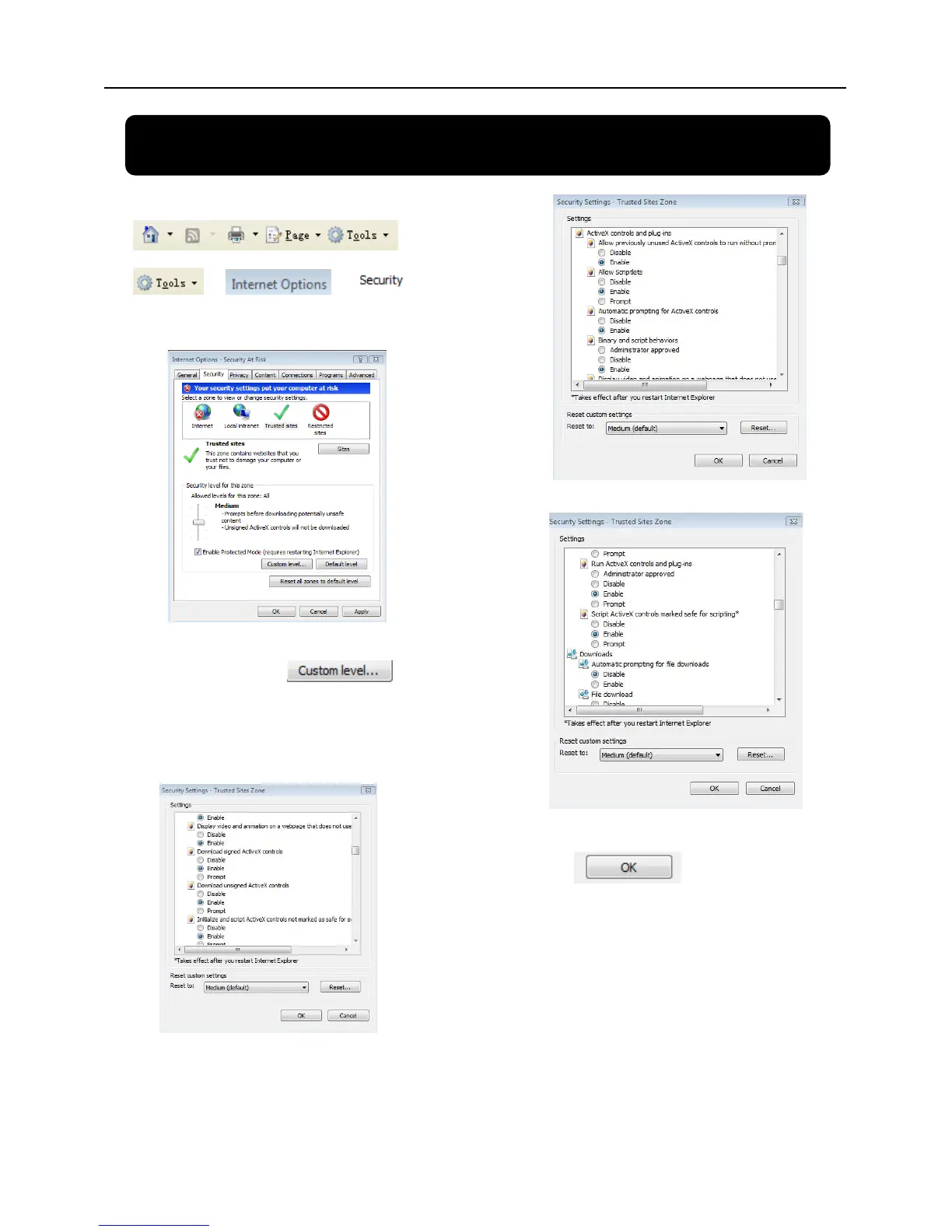
1、Open IE browse firstly, then enter into Tool bar-
and select
to
appear the below picture:
2、Second, select icon
and tick the settings of “ActiveX
controls and plug-ins”to Enable, details
as follows:
3.
4.
Lastly after tick all the “Enable”, please
click to exit. At this
moment, you could input IP address to
run your programme.


 To Next Page