Action Explanation
4
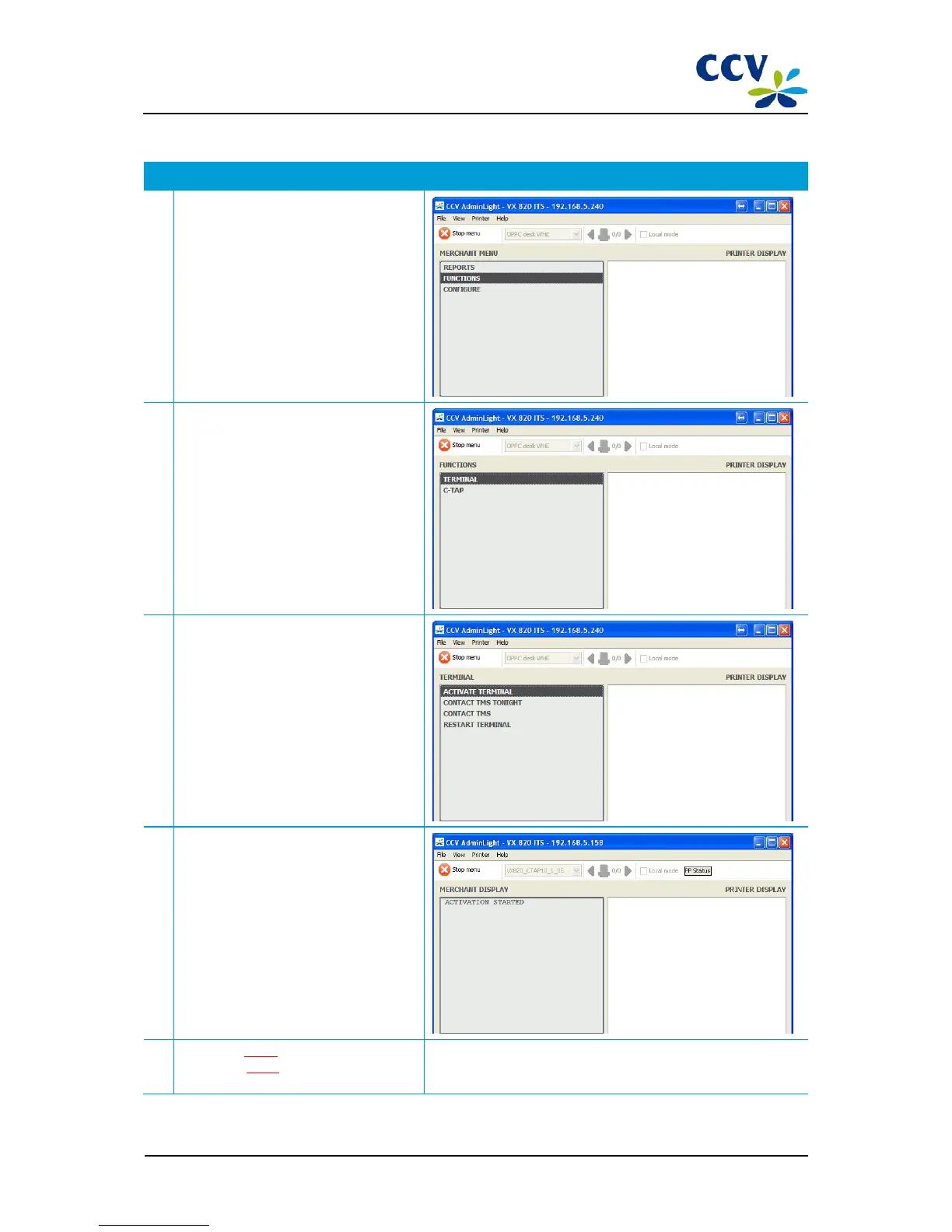
Choose menu option FUNCTIONS.
5
Choose menu option TERMINAL.
6
Choose menu option ACTIVATE
TERMINAL.
7
Wait until the PIN pad is activated.
The session with AdminLight will end
automatically if the activation has been
completed.
8
Proceed to step 7 (Configuring OPI
settings) or step 8 (Checking whether the
PIN pad operates correctly).
You carry out step 7 only if you want the OPI communication run
via RS232 rather than via the Ethernet.
CID087A/15042015 © CCV Services B.V. 22 / 45



 To Next Page