2.13 Step 8: checking whether the PIN pad operates correctly
Always carry out a test transaction to check the operation of the installed PIN pad. You do not have to open the day to
carry out the test transaction if the menu of the VX 820 ITS PIN pad is already opened. In that case, the day is
automatically opened.
Action Explanation
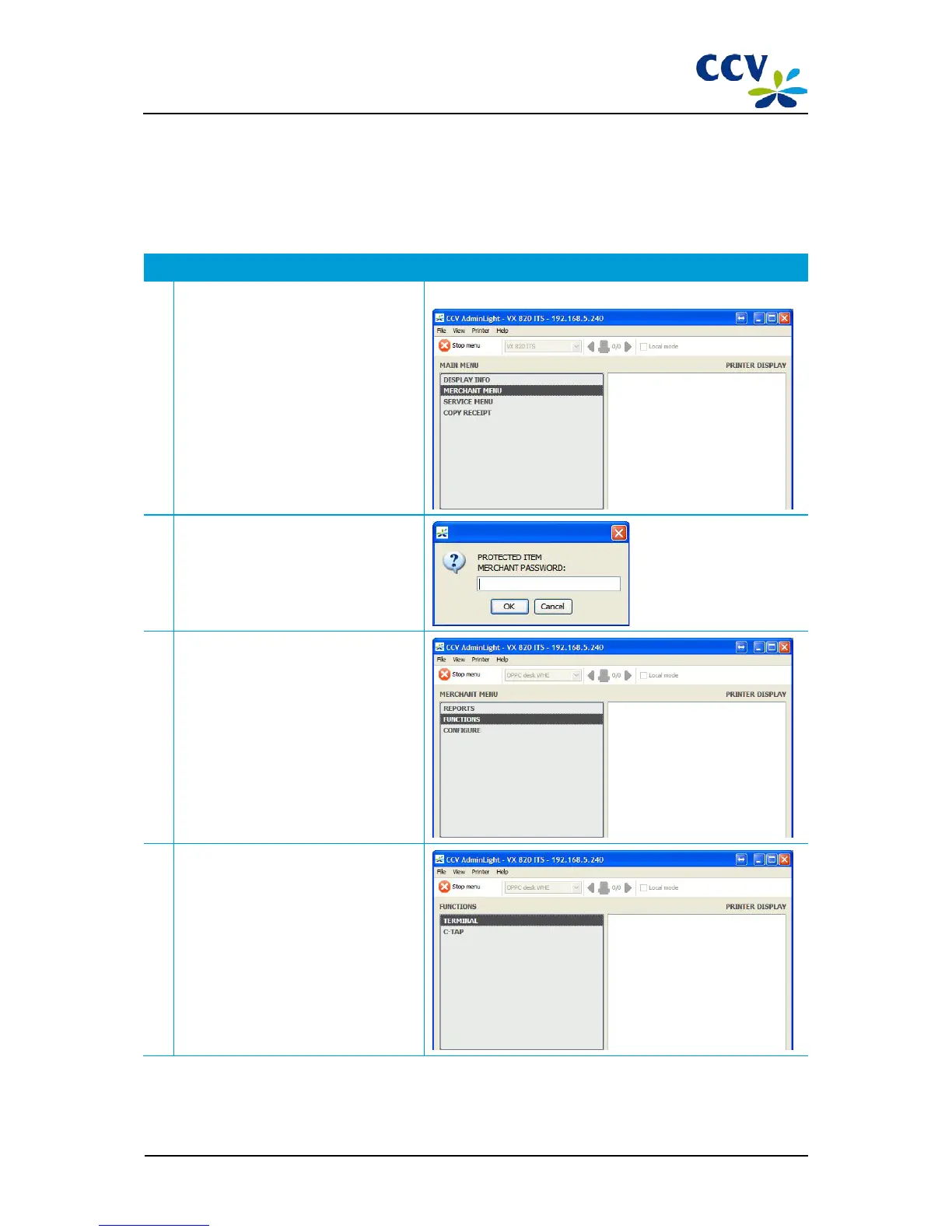
1
Choose the menu option <MERCHANT
MENU>.
2 Enter the password of the merchant menu
(99999) and confirm with <OK>.
3
Choose menu option FUNCTIONS.
4
Choose menu option TERMINAL.
CID087A/15042015 © CCV Services B.V. 25 / 45



 To Next Page