Action Explanation
5
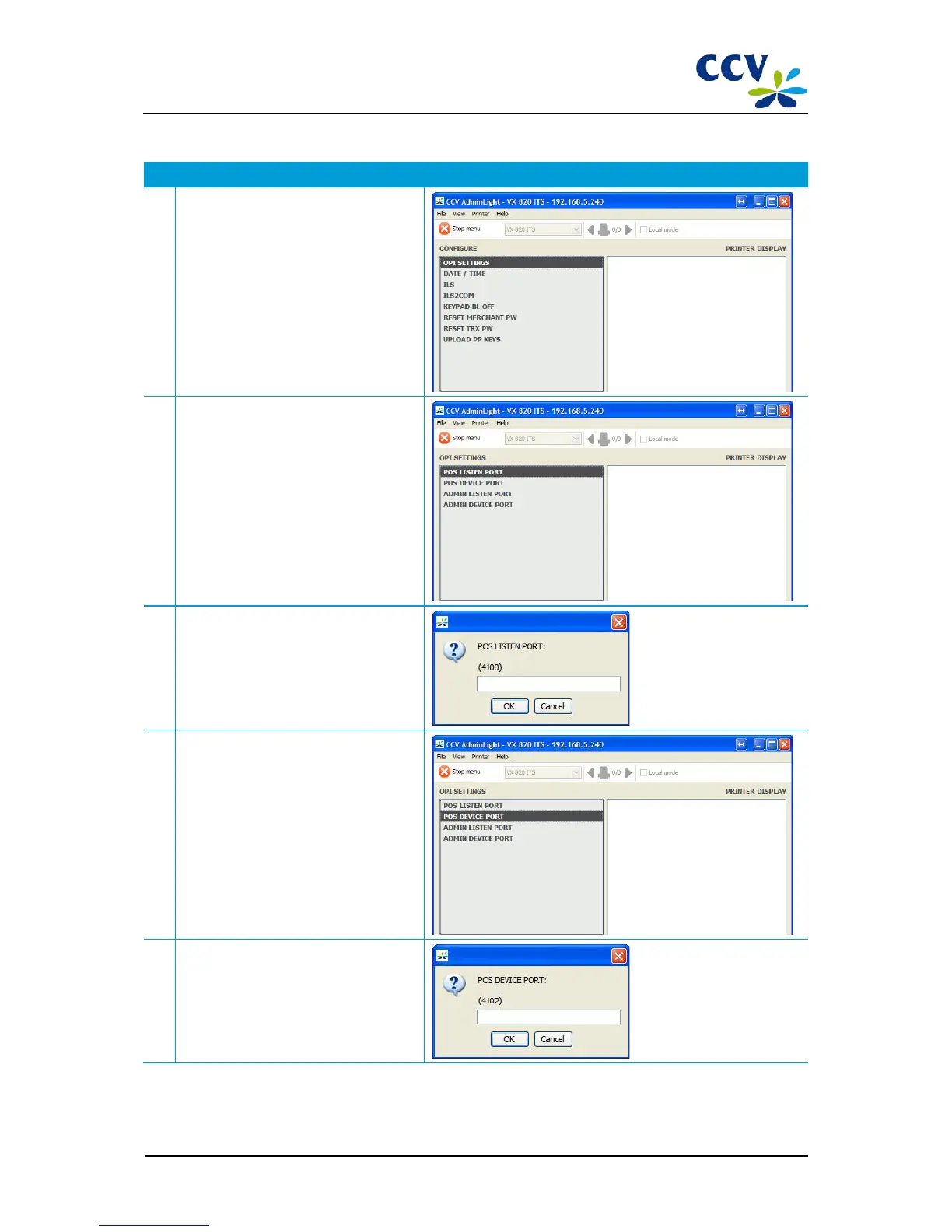
Choose menu option OPI SETTINGS.
6
Choose menu option POS LISTEN PORT.
7 A pop-up will be opened in which you
must enter the POS listen port.
Enter the desired COM port and choose
OK.
8
Choose menu option POS DEVICE PORT.
9 A pop-up will be opened in which you
must enter the POS device port.
Enter the desired COM port and choose
OK.



 To Next Page