Action Explanation
17 Wait until the acquirer parameter session
is completed and check the result of the
session.
When the acquirer parameter session is
successfully completed, the result of the
acquirer parameter session will appear in
the window printer display of AdminLight.
18 Proceed to step 6 (Activating the pinpad).
2.11 Step 6: activating the PIN pad
You carry out this step only for a PIN pad that is allready installed and used at a customer. Carry out the following actions
to activate the PIN pad:
Action Explanation
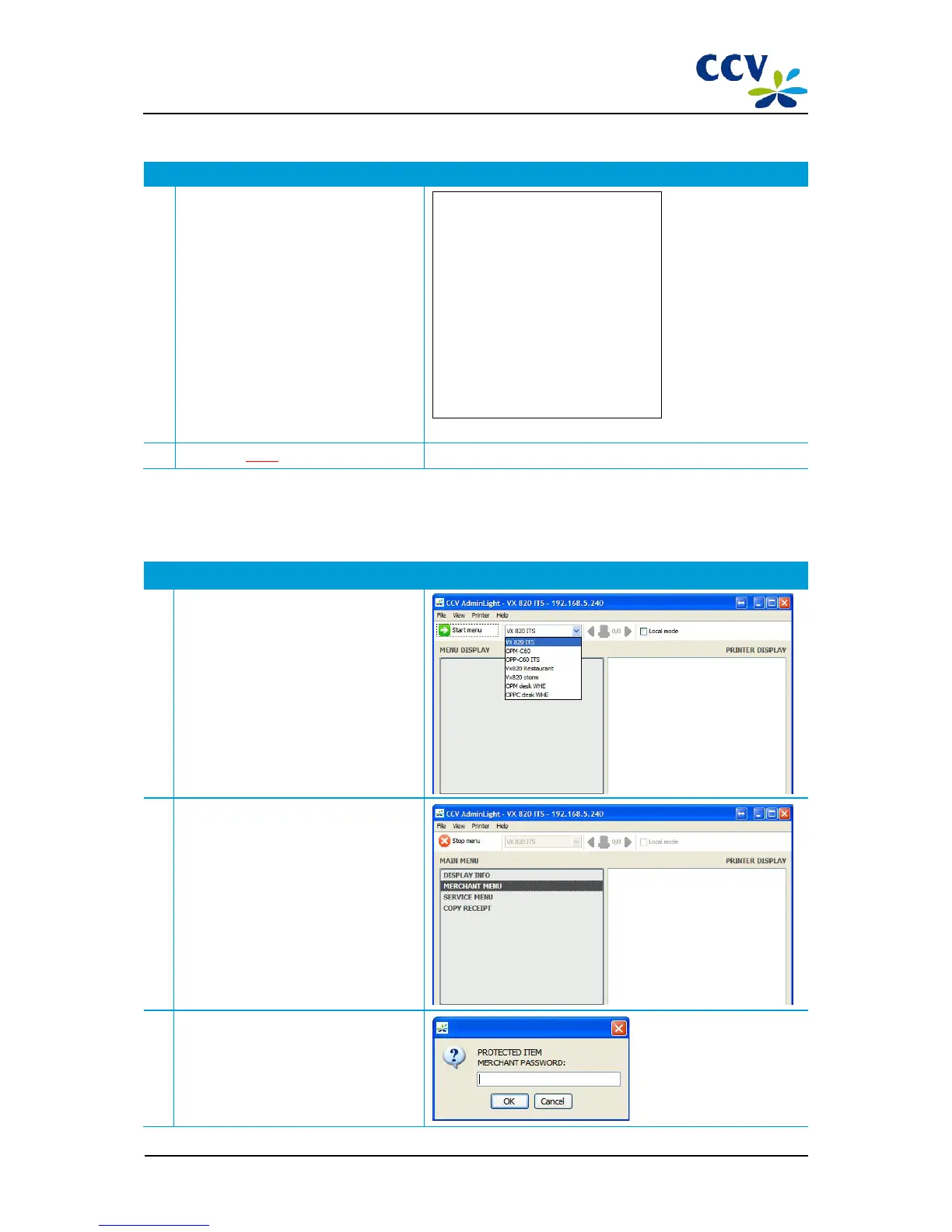
1 Select the desired PIN pad in the drop-
down menu and choose Start menu.
2
The main menu of the VX 820 ITS PIN pad
will now be opened.
Choose the menu option <MERCHANT
MENU>.
3 Enter the password of the merchant menu
(99999) and confirm with <OK>.



 To Next Page