2.12 Step 7: configuring OPI settings (conditional)
You need to configure the OPI settings if you want the OPI communication run via RS232 rather than via the Ethernet.
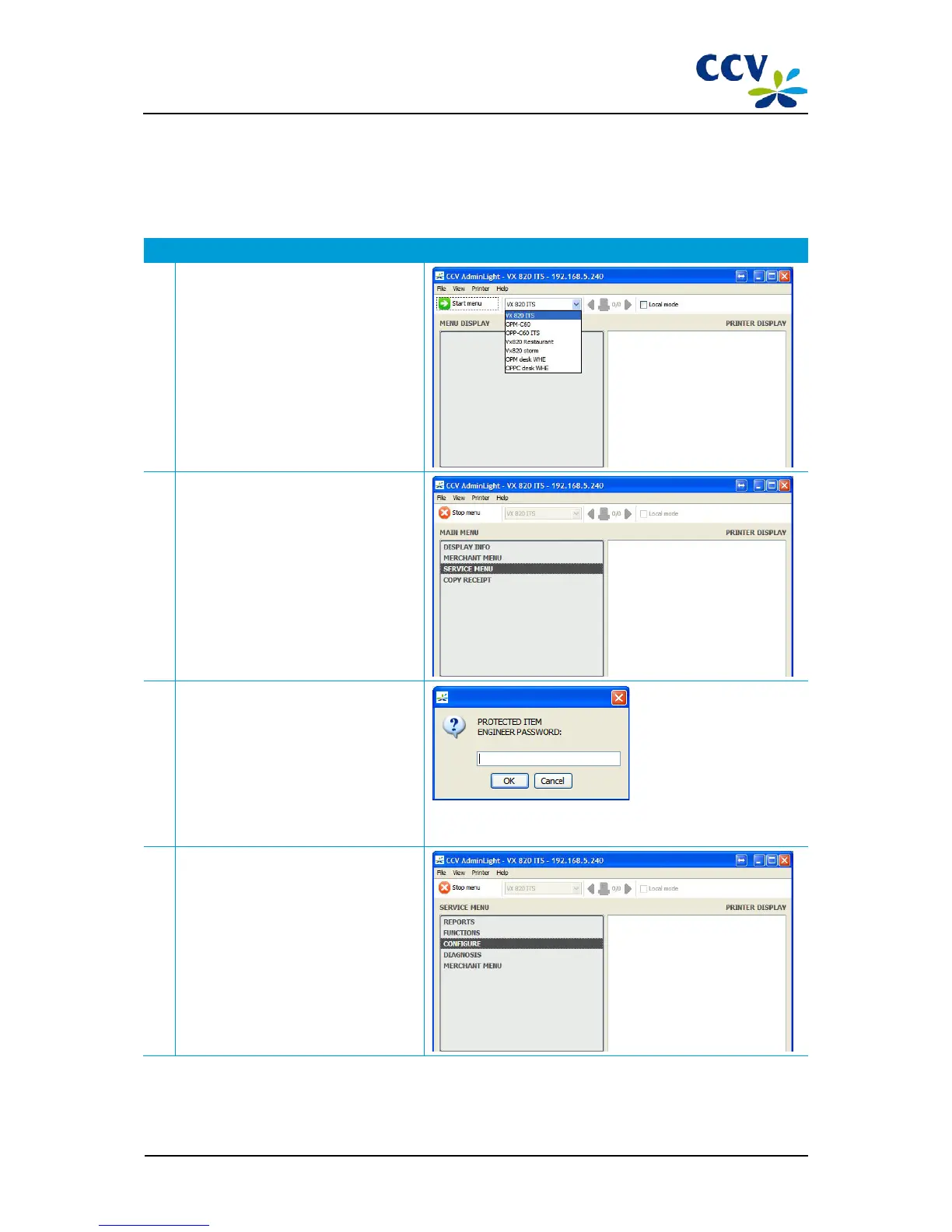
Carry out the following actions to configure the OPI settings:
Action Explanation
1 Select the desired PIN pad in the drop-
down menu and choose Start menu.
2 The main menu of the VX 820 ITS PIN pad
will now be opened.
Choose menu option SERVICE MENU.
3 A pop-up will be opened in which you
must enter the password for the service
menu.
Enter the password and choose OK.
Contact our Product Support Desk if you are not familiar with the
calculation of the password for the SERVICE MENU.
4 The service menu is now opened.
Choose menu option CONFIGURE.
CID087A/15042015 © CCV Services B.V. 23 / 45



 To Next Page