24
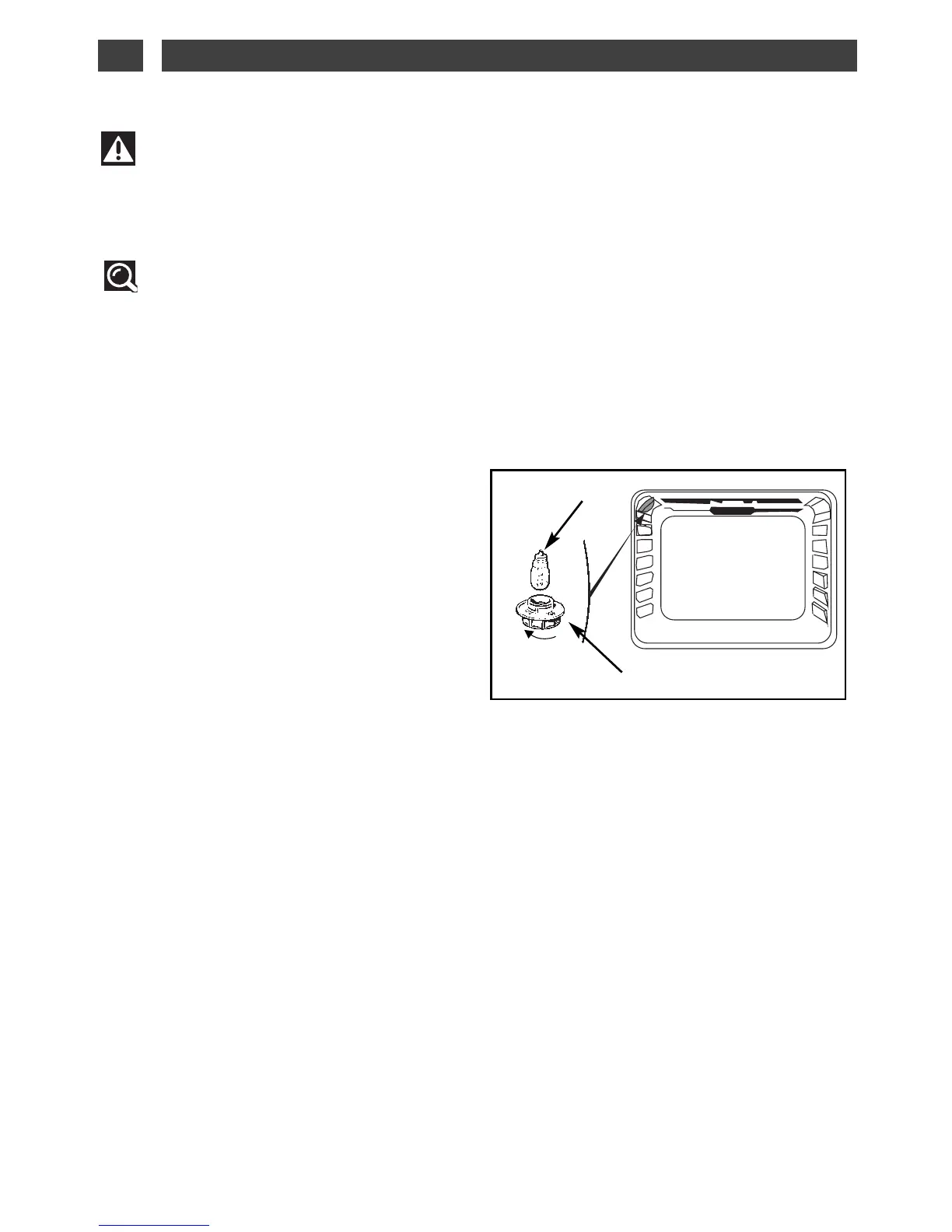
Bulb
Unscrew
View port
The bulb is located on the ceiling of your oven’s
cavity.
a) Disconnect the oven.
b) Unscrew the view port (fig.1).
c) Unscrew the bulb in the same direction.
Bulb specifications:
- 15 W
- 220-240 V ~
- 300°C
- E 14 cap
d) Replace the bulb then reposition the view
port and reconnect your oven.
CHANGING THE BULB
••
Tip
To unscrew the view port and the light, use a rubber glove, which will make disas-
sembly easier.
Warning
- Disconnect your oven before performing any task on the bulb to avoid the risk of elec-
tric shock and, if necessary, let the appliance cool down.
fig.1
7 / TROUBLESHOOTINGEN



 To Next Page