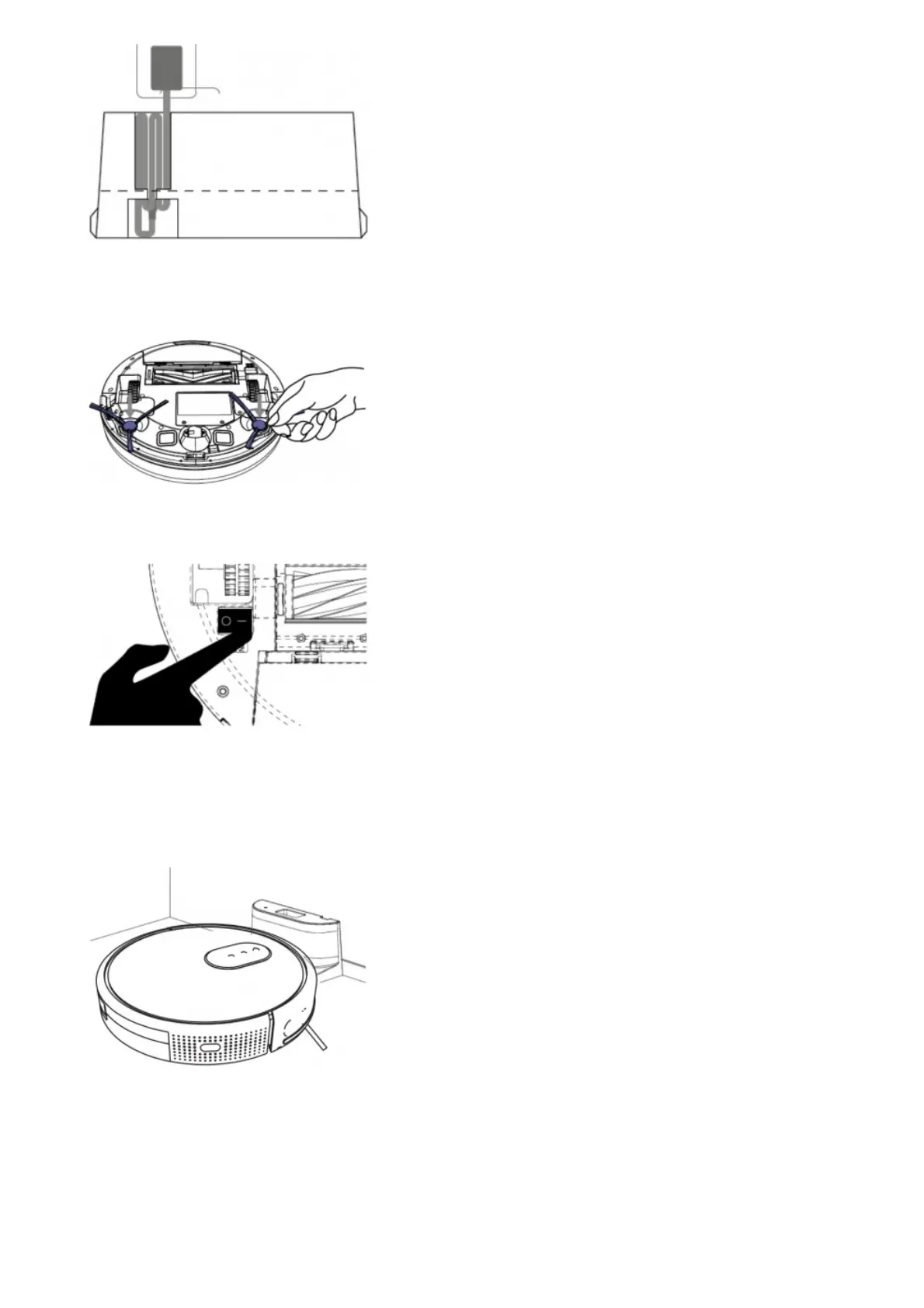
Fig. 18
Install both side brushes in their corresponding slots, located on the robot’s bottom part. Press until it clicks to make
sure they are properly fixed.
Fig. 19
Press the power switch located on the bottom part of the robot. Make sure the power switch is turned On.
Fig. 20
Place the robot on the charging base and make sure the charging terminals on the robot match with those of the
charging base. Once the robot is properly placed, it will beep once and the power button will light up If the light blinks
orange, it means the battery is not completely charged. To ensure maximum cleaning time, wait until the light
switches to steady blue. This will indicate the battery is fully charged and that the robot is ready to clean.
Fig. 21
3. OPERATION
Start cleaning
Long press the power button on the robot to activate the robot up.
Press the power button on the robot to start cleaning.
Note: If the robot runs out of battery during cleaning, it will automatically return to the charging base. Once the battery
is fully charged, the robot can start a new cleaning cycle.







 To Next Page