16
It returns to a torque display and data are not eliminated.
* When memory data are eliminated,
the data saved after that slide to the data number.
6.1.3 Output of Saved Measurement Data
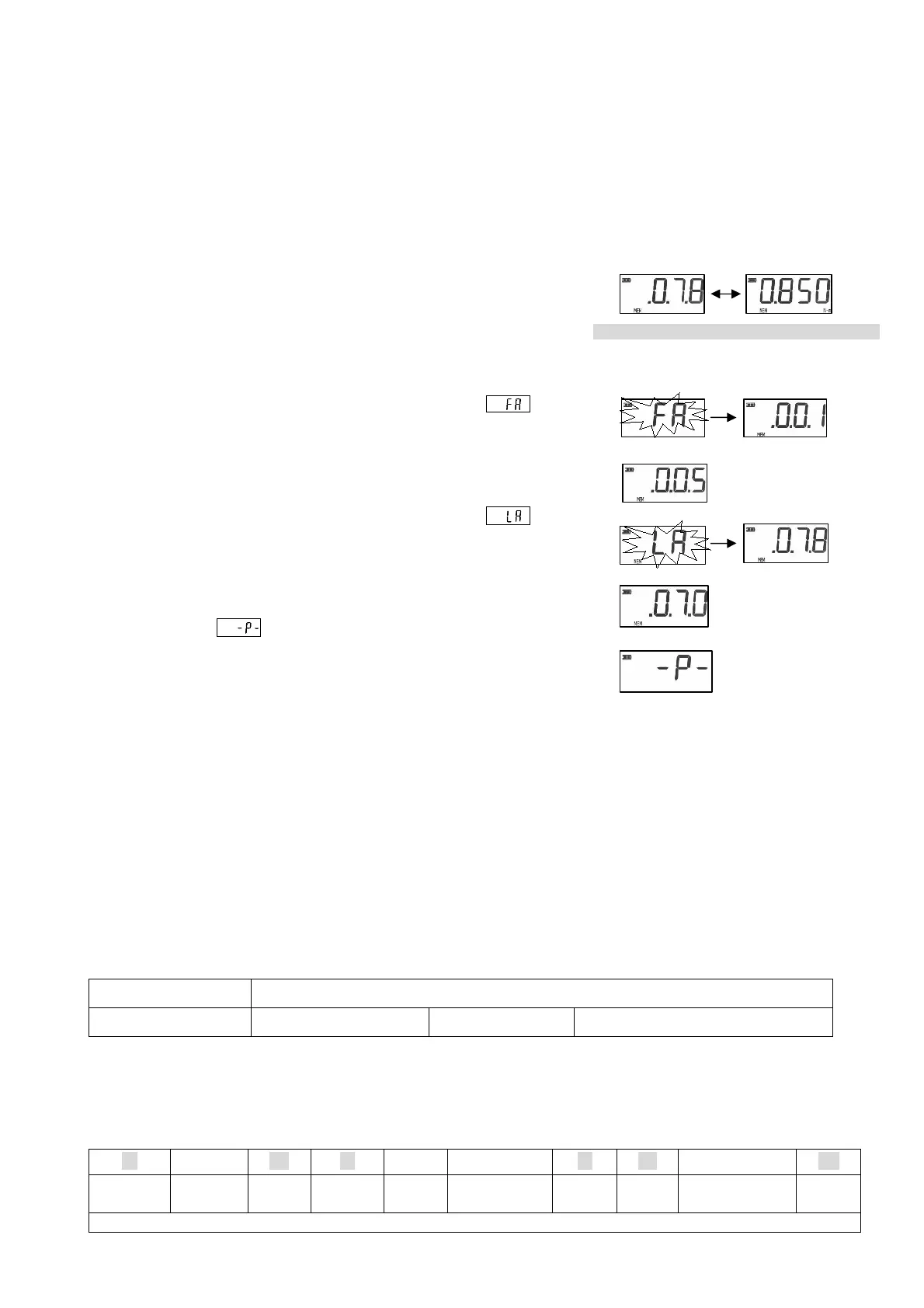
1. A push on the MEM key displays by turns
the data number and measured value which were saved at the end.
2. While displaying a data number and measured value,
press the MEM key once again.
(It becomes data output preparation)
3. Since a data number is displayed after displaying it as
(first address), choose the data number of the first data to output
by UP or DOWN.
4. Since a data number is displayed after displaying it as
(last address), choose the data number of the data of the last
to output by UP or DOWN.
The MEM key will be pressed if selection finishes.
5. Display it as and output.
After an output finishes, it returns to a measurement state.
* Press the CLEAR key for about 1 second to stop an output
during an output.
6.2 Output data
Output data are outputted in the ASCII format with a USB cable.
In addition, in order to take in data, a software needs to be installed separately.
About installation of software
Homepage http: of our company http://www.cedar.co.jp/ or
FTDI Chips Virtual COM Port Drivers http://www.ftdichip.com/Drivers/VCP.htm
Data Format
Data bit length start bit 1 + data bit 8 + stop bit 2 + no parity
Baud rate
19200bps
Connector form
USB(B type)
The format of data has the following two kinds.
①Data Format at the Time of Measured Value and Statistics Data Output
18 ○○○ OE 20 ± ○○○○○ 20 OF ○○○○○○ OD
CAN ① SO
Space
Sign
value
Space
SI
Unit
CR
When the data numbers 005-070 are outputted
Push MEM
Push MEM
Push UP
Push MEM
Push DOWN
Push MEM
The first data number to output
The last data number to output


 To Next Page