13
It is displayed as and will be in the state
where it can measure. Green LED puts out the light.
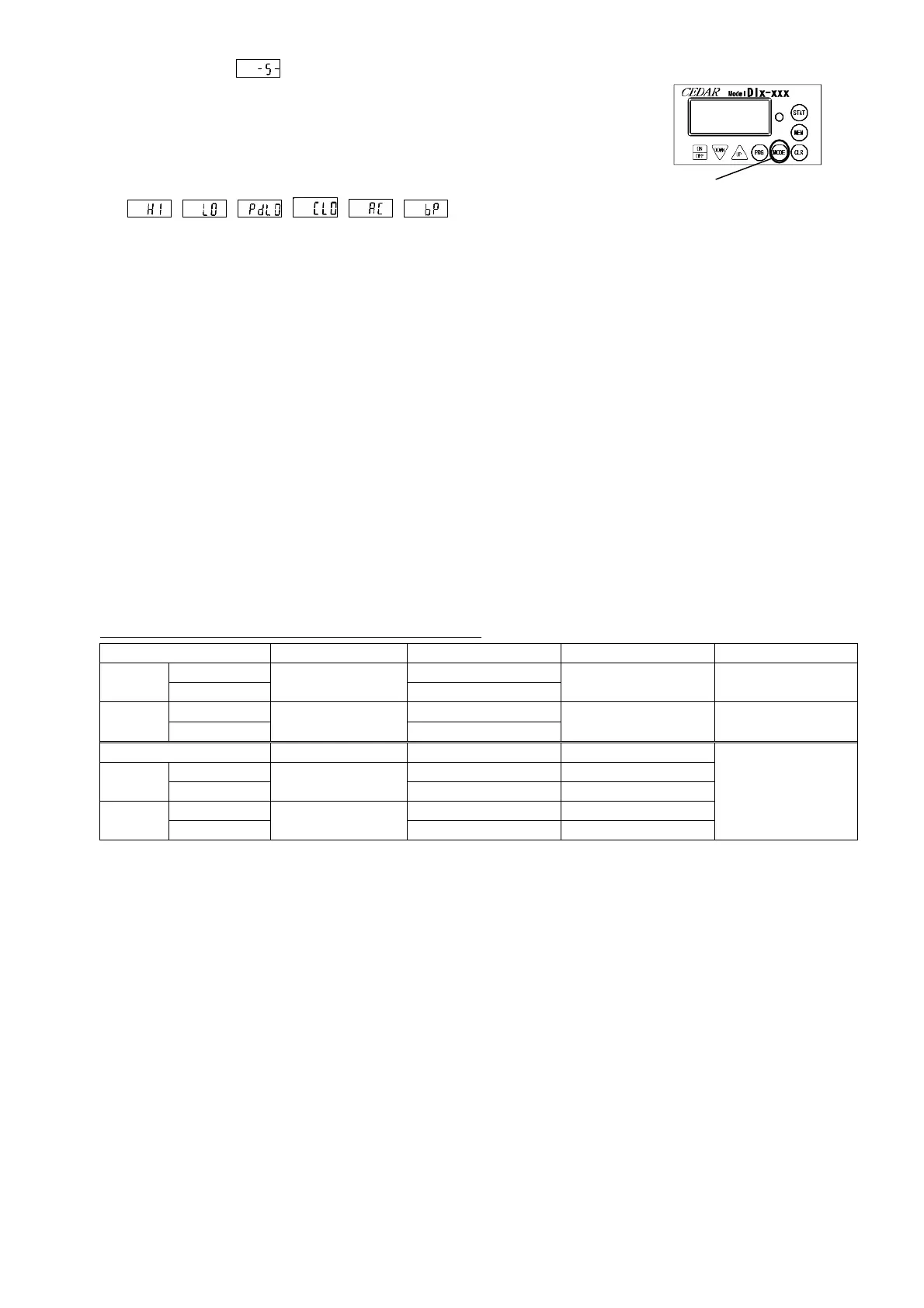
* Push MODE key to confirm what you set during setting.
The item of the numerical value set as a display board now
is displayed.
( 、 、 、 、 、 )
5.3 How to Use Convenient Function
Introduce the method of the measurement using a convenient function.
5.3.1 Yes-no Decision
A measurement result judges the inside of a fiducially point, or the outside of a fiducially point,
and tells you about at a lamp or a buzzer.
1. "maximum value" and the "minimum value" that becomes a standard are set. (Reference 5.2)
2. Measurement mode checks in "P-P."(Only measurement mode "PP" of a yes-no decision is effective)
3. When measured value is between a minimum and a maximum, a GOOD lamp lights up.
When measured value is not between a minimum and a maximum, NG lamp blinks and a buzzer sounds.
4. If measurement is completed, the CLEAR key will be pressed and an indication will be given zero.
At same time, the lamp and buzzer of a yes-no decision disappear.
A yes-no decision is performed only when measurement mode is "P-P."(20 or more digits)
Detection of the value of a peak-down switches on a Green (GOOD) lamp at the time of P-D mode.
The buzzer sound of a judgment and the condition of LED
LED
red long blink
red short blink red lighting
buzzer
long blink sound
short blink sound continuous sound
-
LED
green lighting
buzzer
continuous sound
By setup of buzzer sound, it becomes the following operation.
ON: all buzzer sound OFF: no sound except over-torque FF: sound only at the time of an error
5.3.2 Maximum, Minimum, and Average
The maximum, the minimum value, and the average value of the measurements data saved can be displayed and
checked. However, it becomes calculation of only the data (data of the same measurement direction) of the same
mark as a memory number "001" (the first data).
When data 001 is + (the CW direction), only + (the CW direction) is.
- (The CCW direction) Only for - (the CCW direction), a case is.
(1) STAT A key is pressed.
(2) As Opposed to Data Measured and Saved
1) The number of data -- With no display
2) Maximum Torque value -- "MAX" Display
3) Minimum Torque value -- "MIN" Display
4) Average Torque value -- "AVE" Display
The item under setup is checked.


 To Next Page