4
*Measurement while charging cannot be performed. A plug is pulled out at the time of measurement.
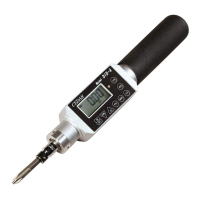
The main use and contents
①Data output terminal
The serial output of the m
easurement data is carried out. USB form (B type).
②Display Board
A torque value and various information are displayed.
③ON/OFF (Power) Key
It use it in ON/OFF of the power supply.
④DOWN Key
( DOWN・MOVE Key)
At the time of a numerical setup, when decre
asing a numerical value, it is used.
It is used when moving the place which changes a numerical value to the right.
The memory data to choose are changed (decrease).
⑤UP Key
It is used when making a numerical value increase at the time of a functional
numerical value setup.
The memory data to choose are changed (increase).
⑥Numerical Setting Mode
/ Determination Key
It is used when changing the setting numerical value of various functions.
It is used when determining a numerical value.
⑦ Measurement Mode Key
It is used when changing measurement mode.
It is used for the check of the function set up during a functional numerical value
setup.
⑧ CLEAR (Clear) Key
It pushes, when measurement is completed, and giving an indication zero.
When the memory data is deleted, it uses it.
It is used at the time of zero adjustment.
⑨ Memory Display
/ Data Output Key
It is used when displaying the memory data saved on the main part.
It uses, when outputting the saved data.
⑩ Average Display
ing the maximum, the minimum,
and the average of measured value.
⑪LED Lamp
blink and check out of the setting range.
*When a peak-down operates (when torque catches the moment which went into
descent from the rise) , it can check by L.E.D. (green) lighting.
*If the number of screw bundle setup is reached, it can check by lighting three
L.E.D. (green).
⑫ System Reset
The time of full electric discharge etc. is used when rese
⑬ AC/DC Adaptor Terminal
The plug of an AC/DC adaptor is inserted.
⑭ Pilot Lamp During Charge
The light is switched on during charge.
The AC/DC adaptor of exclusive use is used for charge.
Display section
A Battery residual quantity
The residual quantity of an internal charge of battery is displayed.
A chosen measurement mode is displayed.
When a memory data is used, it displays.
minimum, and an average
mum, and the average value are used, it displays.
The measurement unit chosen now is displayed.
The torque value in each measurement mode and unit is displayed.


 To Next Page