22 © CEDES | V 2.2
8. Start-up
“Start-up” means the first-time operation of the APS system as part of the whole elevator system. This chapter describes
the necessary actions for the proper settings prior to start-up. These should also be included in the system integrator’s
instructions.
Things to do before teaching ride:
Check the uppermost point of the installation is below 5,000 m above sea level.
Check if the tension weight has the necessary clearance according the system integrator‘s instructions.
Check if the code tape is correctly mounted with the clips.
Check that the code tape is free to glide within the clips.
Check if the “LEFT marks” on the code tape are on the left side.
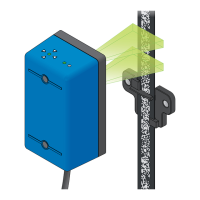
Check if the APS sensor is installed with the operator panel (status and position LED) facing upwards.
Check if the APS sensor is connected to the downstream processing unit.
Check if the APS sensor is correctly aligned to the code tape.
Check if all position indicator clips are aligned.
Check if the APS sensor has unobstructed sight of the code tape over its entire operational length.
Check if there is any obstacle which could touch the APS sensor during movement.
Do all safety checks according the system integrator’s instructions.
During teaching ride:
Execute the teaching ride according the system integrator’s instruction.
Teach aligned door positions.
Check after teaching ride, before regular operation:
Check if the lowest operational point works according to the system integrator‘s instructions.
Check if the highest operational point works according to the system integrator‘s instructions.
Check that no floor position is missing.
Check/verify that the floor positions are properly leveled according to the system integrator‘s instructions.
Perform all safety checks according to the system integrator‘s instructions.
9. Operation
Follow the system integrator’s instructions.


 To Next Page