EasyManua.ls Logo

CEFLA MyRay Hyperion X9 - Setting the Projection Type

CEFLA MyRay Hyperion X9
75 pages
Print Icon
To Next Page IconTo Next Page
To Previous Page IconTo Previous Page
Loading...
EN
OPERATOR'S MANUAL
31
5.2.5. SETTING THE PROJECTION TYPE
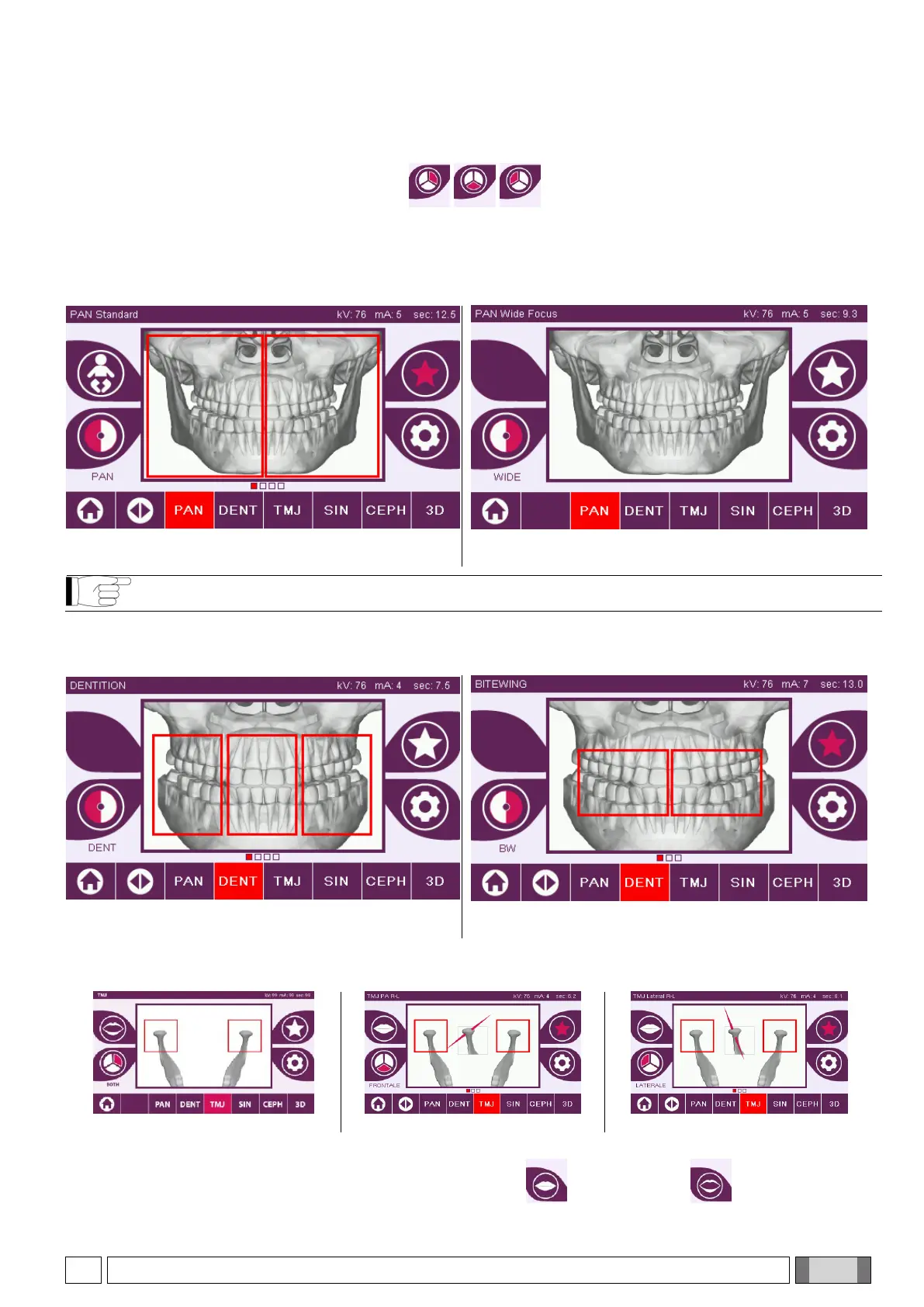
In some examination categories, different projection types are available.
In the PAN and TMJ categories, tapping the icon , you can switch between one type of projection
and the next.
PAN
For the panoramic X-rays, you can choose between HD and QUICK.

PAN HD
PAN QUICK
The DTS function is not available for the PAN QUICK protocol.
DENT
For the dentition examinations you can choose between STANDARD and BITEWING.
DENT STANDARD
DENT BITEWING
TMJ
For the TMJ examinations you can choose from 3 projections: LATERAL, FRONTAL, DOUBLE R-L.
TMJ DOUBLE
TMJ FRONTAL
TMJ LATERAL
For the TMJ examinations you can choose between Mouth Closed and Mouth Open for each projection.

Table of Contents

Related product manuals