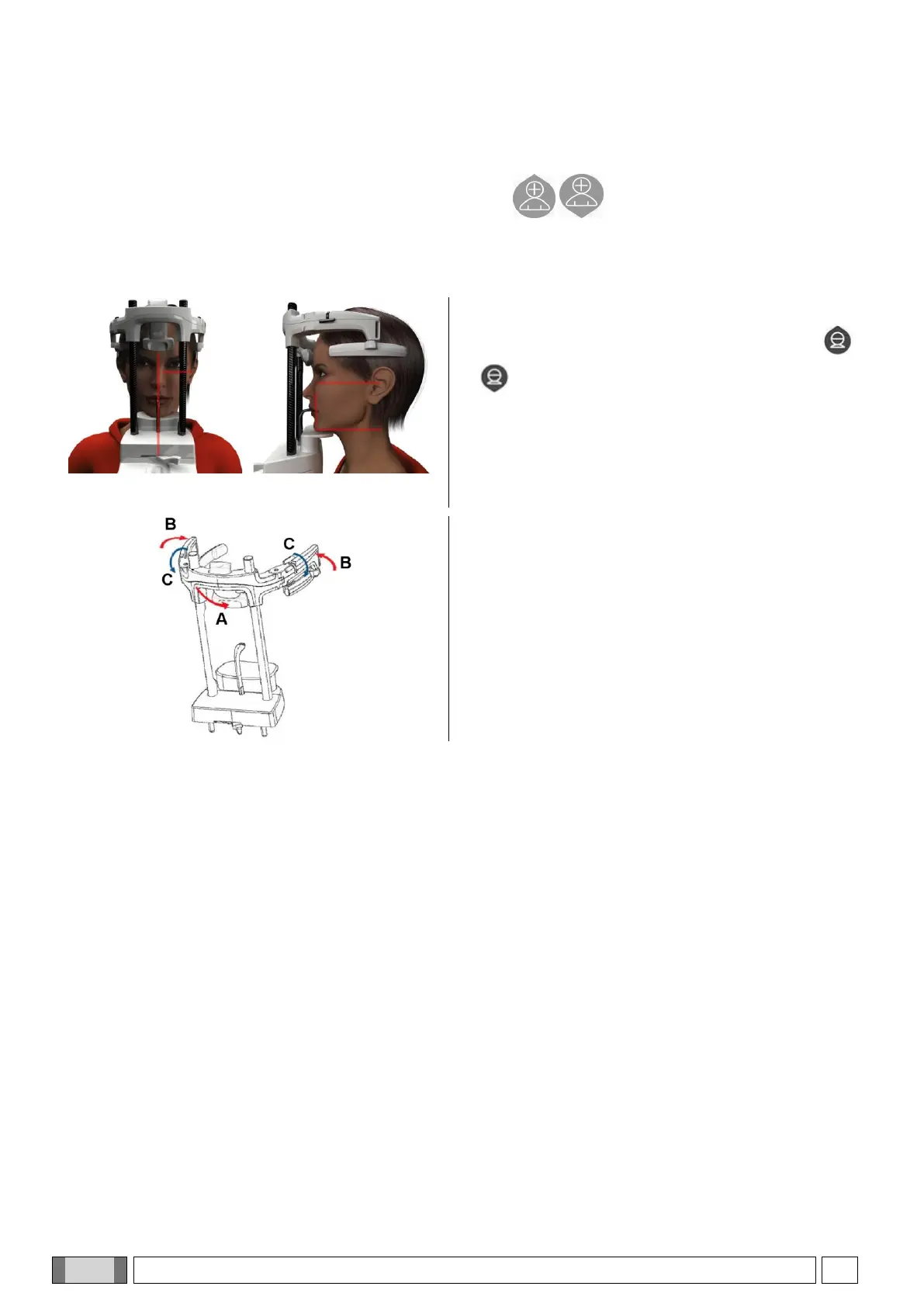
6.2. POSITIONING THE PATIENT FOR 3D EXAMINATIONS
1) Once you have completed preparation of the X-ray device, have the patient access.
2) Adjust the height of the motor-driven column using the buttons to facilitate patient access. Bring the
column up to the height of the patient.
3) The patient should grip the handles with both hands and be in an erect position.
4) If necessary, adjust the height of the chinrest using
the buttons at the bottom of the control panel
and centre the acquisition area marked by the
lower horizontal laser trace, which determines the
lower limit of the area radiated.
5) Arrange the patient’s head using as guide the vertical
laser trace that identifies the sagittal plane.
6) After having reached the correct positioning, lock the
craniostat as explained in paragraph 5.4.2:
A- Push the front support forward until resting it
against the patient’s forehead. The forehead
pressure on the support stabilizes it automatically.
B- Close the arms until they adhere to the patient’s
cranium.
C- Rotate the upper levers downwards until locking
the patient laterally.
7) Go to the PC workstation.
6.3. PERFORMING THE EXAMINATION
Follow the instructions for the acquisition operations described in the iRYS manual to complete image acquisition.
Refer to “Extended View” mode for the acquisition with fields of the Extended View type.



 To Next Page