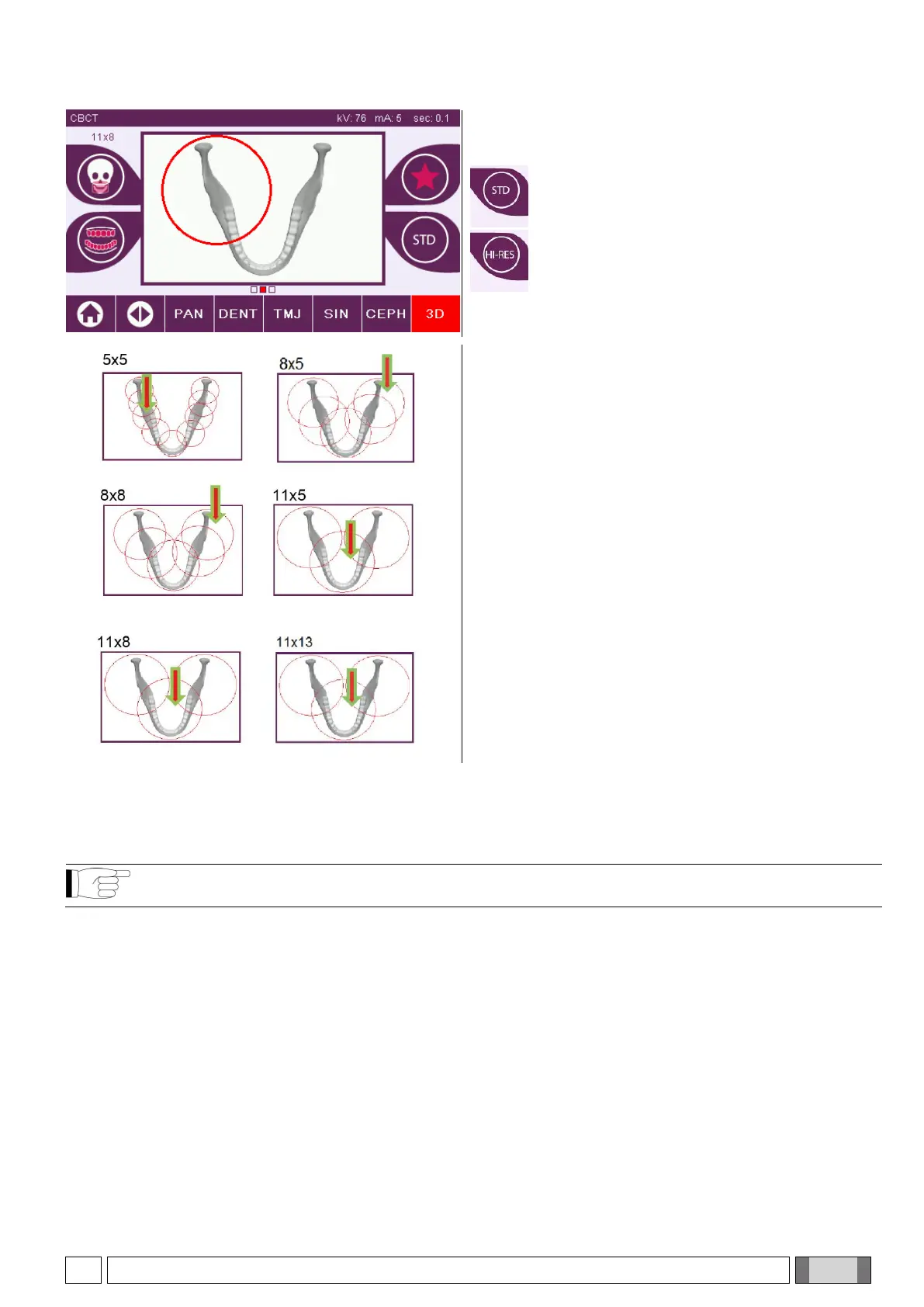
3) Select Mode
Select the required examination mode:
High resolution; total scanning time ~18s,
with minimum voxel size 150µm.
Maximum resolution; total scanning time
~36s,
with minimum voxel size 75µm.
4) Selecting the volumetric reconstruction centre
Select the CBCT reconstruction centre from the
EXAMINATION screen by touching on the screen the
anatomical area to be reconstructed. A red circle will
highlight the selected area.
The choice of the reconstruction centre is just a preliminary operation: at the end of the patient positioning, the
anatomical region involved in the 3D examination will be finely adjusted from the PC workstation through the guided
procedure.
Note: it is not required nor permitted to modify the X-ray exposure technique factors (kV, mA, s), since they are
automatically optimised by the system during the examination execution.
It is now possible to let the patient access the machine and position him/her as indicated in the next
paragraph.



 To Next Page