In both cases the adjacent screen will be displayed,
showing the correctly selected CBCT program.
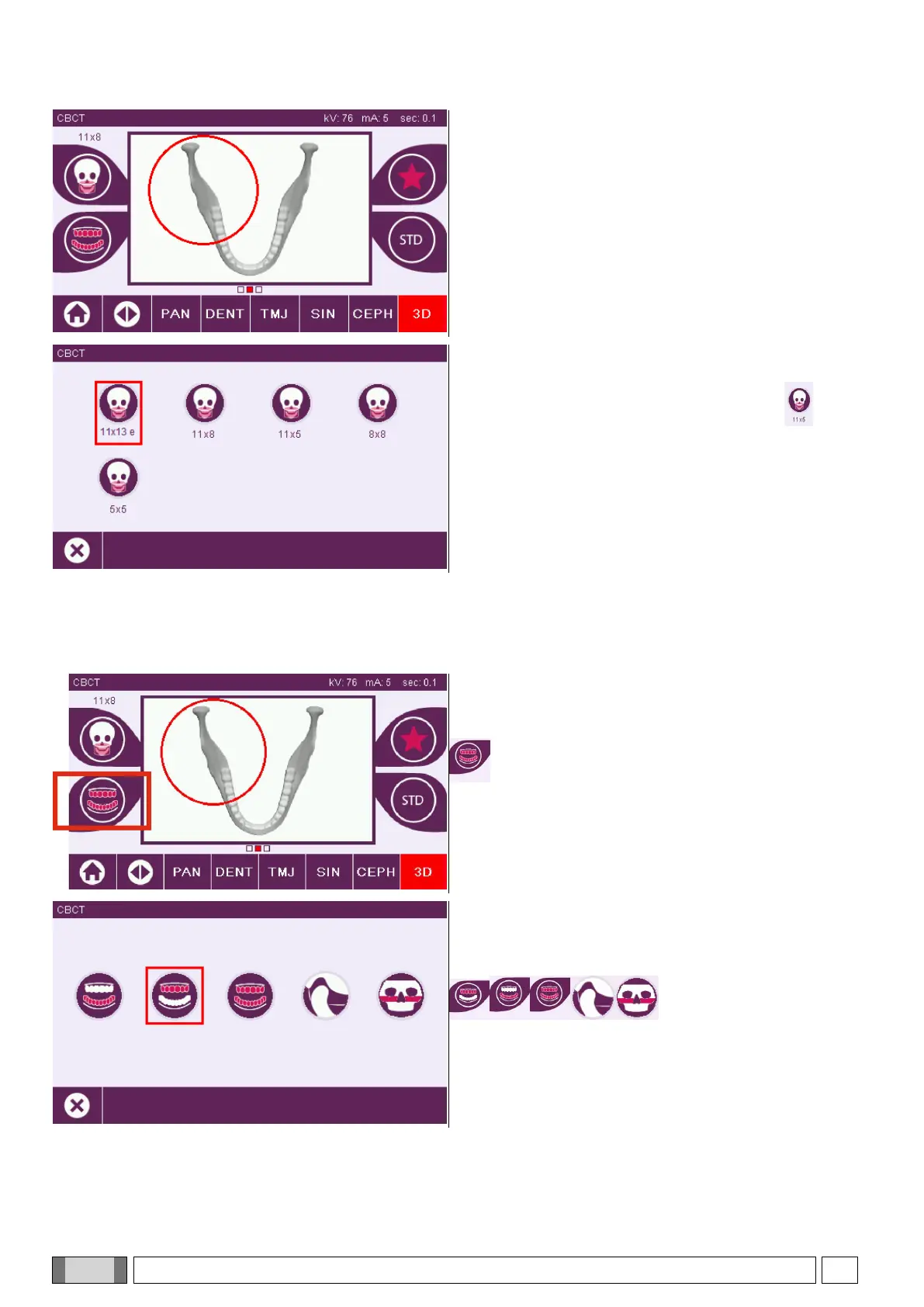
1) Choosing the field of view (FOV)
Set the field of view (FOV) by pressing the icon .
The SET FOV screen is displayed: select the field of view
to be used. The available fields of view vary according to
the installed X-ray device model.
The available fields of view vary according to the installed X-ray device model and the purchased software licenses.
In particular, the fields of view available with the Extended View software license are more than those available with
the base license only. A field of view of Extended View type features the automated execution of a double scanning
providing a volume with greater dimensions than those that can be obtained with standard fields of view. Additional
fields of view are indicated in the control console by the letter “e” next to the dimensions of the field of view.
2) Protocol setting
Select the examination protocol by pressing the icon
.
The SET ARCATA Screen will be displayed; the
availability or not of the following choices will depend on
the machine equipment:
.



 To Next Page