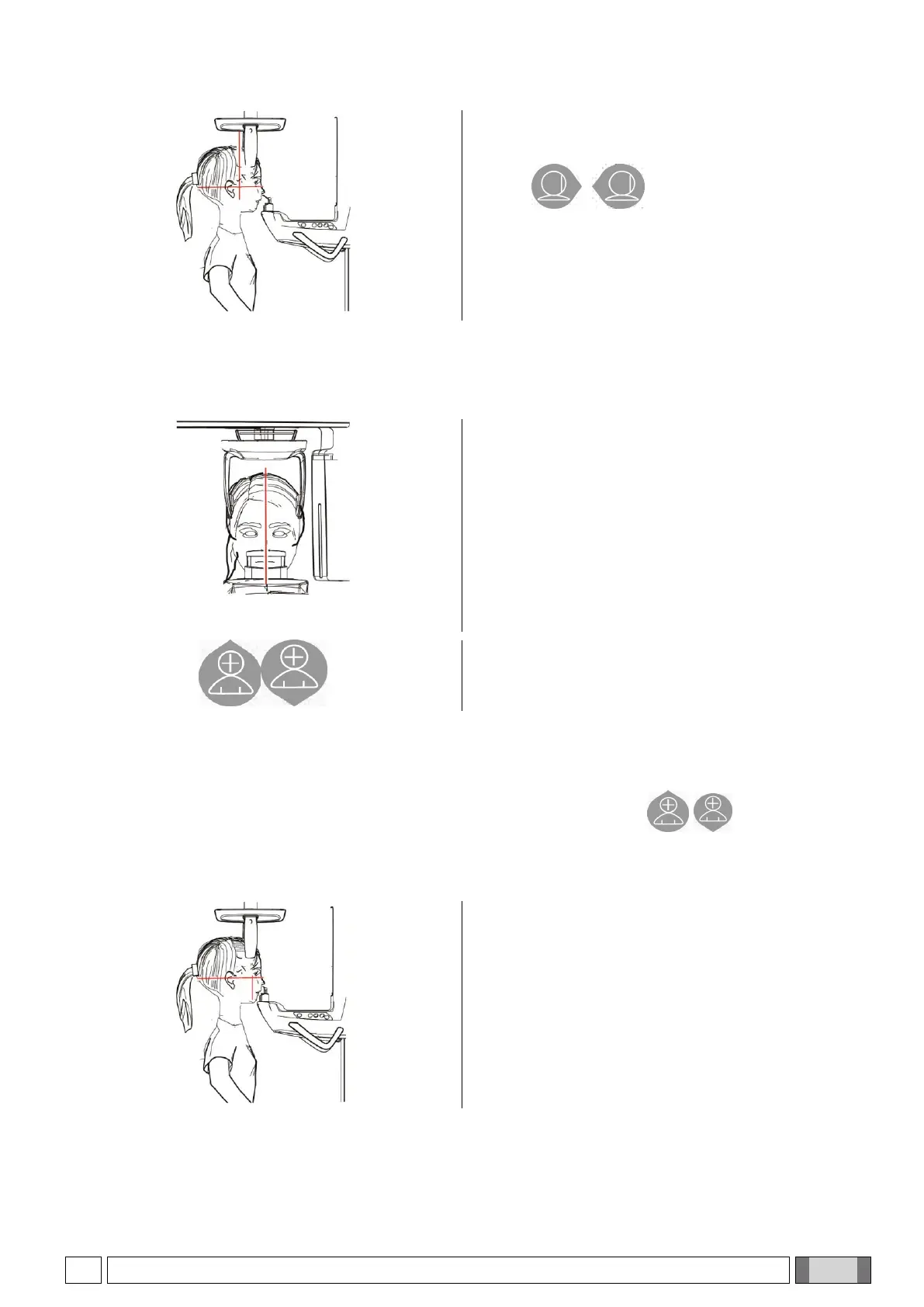
6) Make sure that the examination required is selected
correctly.
Use keys to position the vertical
focusing light trace exactly on the condyle head, as
shown in the figure.
7) Press the CONFIRMATION button and, immediately before leaving the room to press the X-ray emission button,
ask the patient to close his/her eyes and remain still.
5.4.4.2. FRONTAL TMJ
Follow the same steps of the Lateral TMJ examination.
In order to adjust the head inclination, just raise or lower
the unit using the height adjustment buttons.
5.4.5. SIN EXAMINATION
1) Remove the chin rest and the bite, and insert the under-nose special support for sinuses.
2) Adjust the unit height, in order to facilitate the patient’s access, using the keys to move the column
upward or downward until the special support for sinuses reaches the height of the nose base. The telescopic
column will move slowly at first, then it will speed up.
3) Guide the patient toward the unit so that he/she faces
the under-nose support and can grab the wide
handles. The patient will rest the nose base on the
special support for sinuses, as in the figure.



 To Next Page