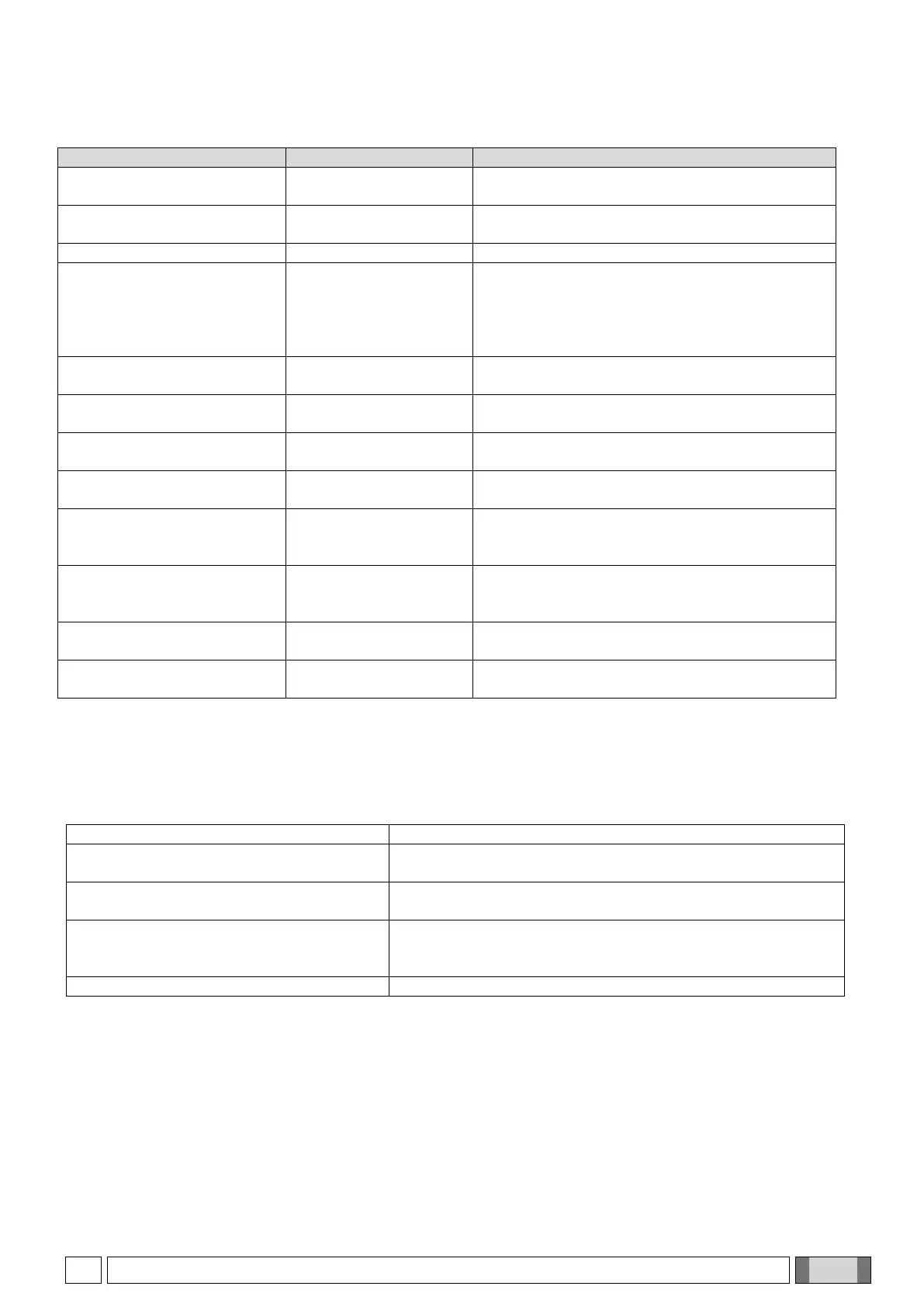
The following table provides a brief description of the values calculated during the phantom analysis.
Phantom’s angle in the
first scout view
Inclination angle of the symmetry axis of the
phantom in the first scout view
Phantom’s angle in the
second scout view
Inclination angle of the symmetry axis of the
phantom in the second scout view
Noise percentage on the phantom’s central axis
expressed as the standard deviation of the value
density with respect to their average value in a
defined area in the middle of the image (near the
water).
External horizontal
diameter
External diameter of the aluminium cylinder along
the horizontal axis in the central axial image.
Internal horizontal
diameter
Internal diameter of the aluminium cylinder along
the horizontal axis in the central axial image.
External vertical
diameter
External diameter of the aluminium cylinder along
the vertical axis in the central axial image.
Internal vertical
diameter
Internal diameter of the aluminium cylinder along
the vertical axis in the central axial image.
Horizontal Full Width
Half Maximum
Spatial resolution (millimetres) on the aluminium
cylinder's horizontal diameter in the central axial
image.
Vertical Full Width Half
Maximum
Spatial resolution (millimetres) on the aluminium
cylinder's vertical diameter in the central axial
image.
Horizontal distance
between holes
Average horizontal distance between the cylinder
holes in the panoramic image.
Vertical distance
between holes
Average vertical distance between the cylinder
holes in the panoramic image.
8.2.1. QA PHANTOM TROUBLESHOOTING
Below is a description of some countermeasures to take if there are errors in the phantom analysis results. Each
error is highlighted with the symbol “***”.
Verify the phantom acquisition during the first scout view.
If tilted, adjust the phantom position.
Verify the phantom acquisition during the second scout view.
If tilted, lift or lower the support.
Make sure that the phantom has been filled up with water.
Perform an acquisition of Blank image with reference to
paragraph 8.1.4 “3D image quality controls”.
Contact the technical support.



 To Next Page