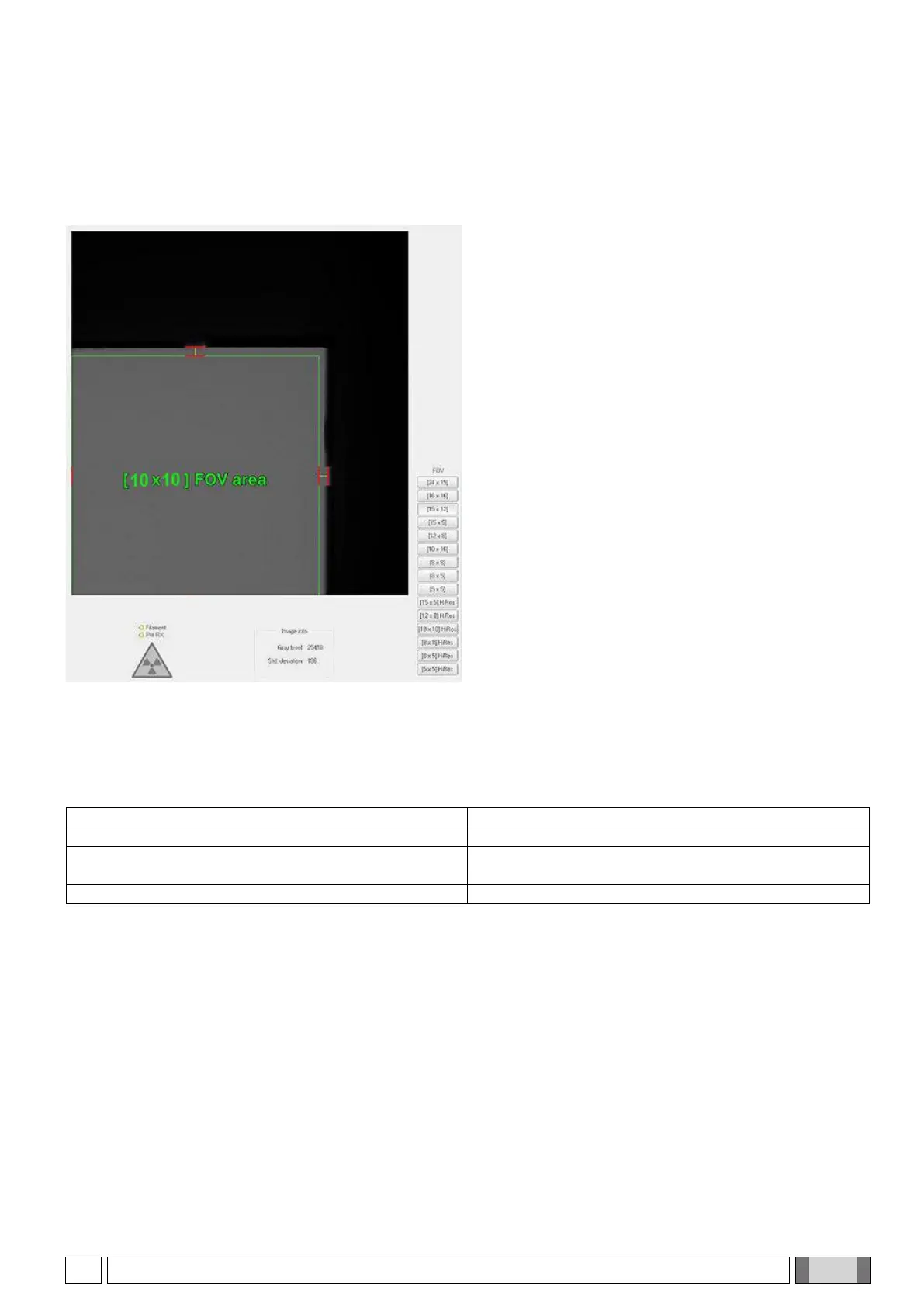
8.1.2. COLLIMATOR TEST
In order to verify correct X-ray beam alignment, the following check should be performed at least yearly:
a) From the main bar of the NNT software, select
“Tools” → “Scanner Test”
.
b) From the service window bar, select
“Tools” and “service window bar”
. Select the desired FOV.
c) Set the appropriate X-ray load parameters according
to the FOV used (standard: 4 mA, 10 ms, 90 kV;
Hires: 6 mA, 10 ms, 90 kV).
d) Start an acquisition.
e) Check that the collimation is limited within the
indicated margins:
- the green rectangle must be completely inside the
acquired grey area.
- the grey rectangle sides must pass through the red
line pairs where these are drawn.
8.1.3. 2D IMAGE QUALITY CONTROLS BY MEANS OF PHANTOM
In order to verify 2D images quality, the use of a dental phantom compliant with standard IEC 61223-3-4:2000 is
recommended.
Acceptance criteria are listed below:
Image resolution (line pairs/mm)
At least 2 low contrast points can be distinguished
In the image, there must be no artifacts such as visible
horizontal lines or halftones
A phantom with required features is available upon request, with the relevant instructions for use.



 To Next Page