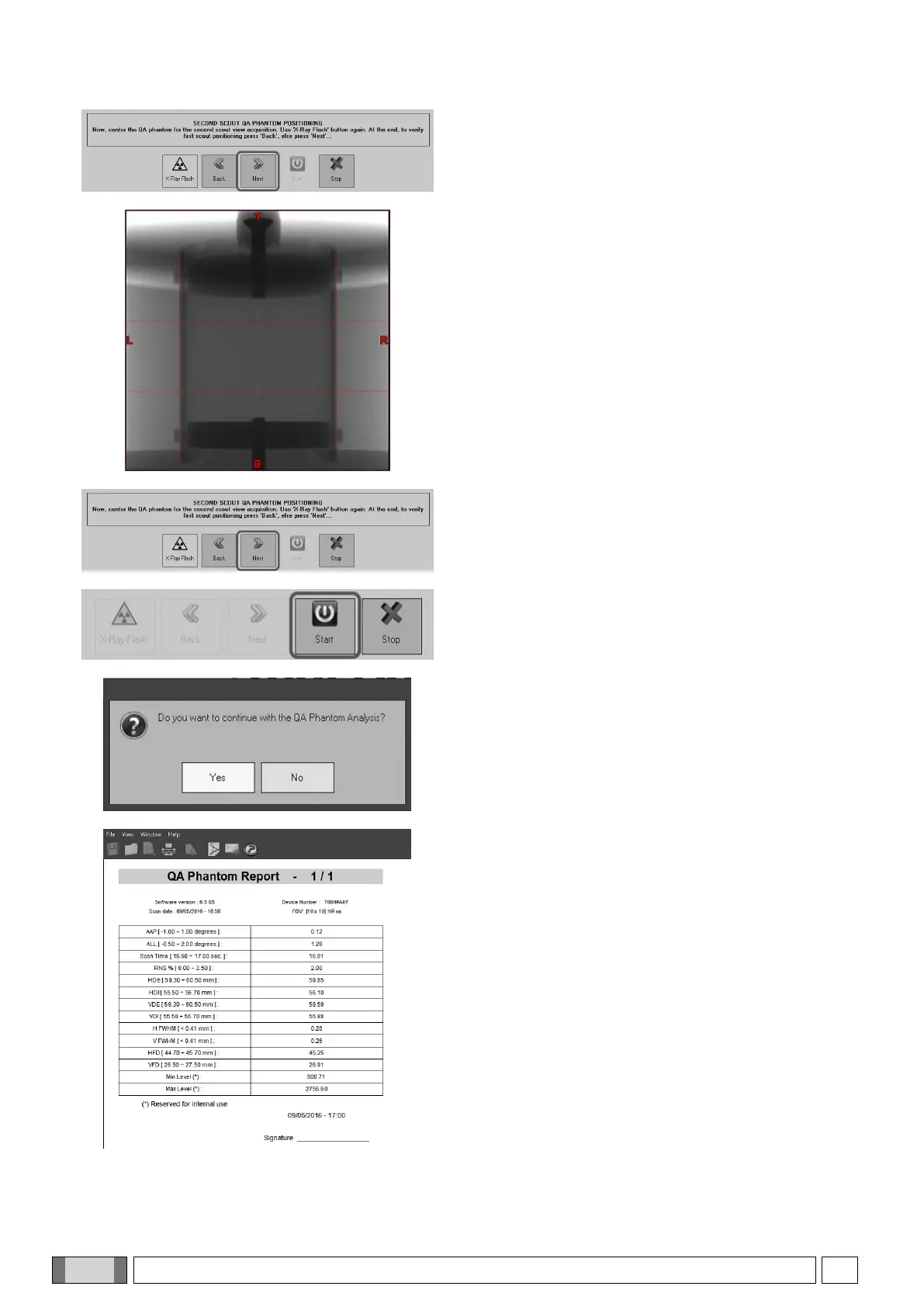
Once the correct position is reached, press “Next”.
Then, in order to acquire a front positioning scout, click
on “X-ray Flash” and press the rays button when
prompted.
The front scout is acquired.
Assess phantom position and correct it as you did for
the side scout.
Click “Next” to confirm correct positioning, then “Start”.
Press the X-rays button when prompted.
The system performs a complete scan of the QA
phantom.
Once finished, when the system prompts to continue
the analysis, chick on “Yes”.
The calculations are made automatically; once
finished, a report like the one shown on the left will be
displayed.
If no value has asterisks, close the window; should this
not be the case, see paragraph 8.2.1 “QA phantom
troubleshooting” and repeat the procedure.



 To Next Page