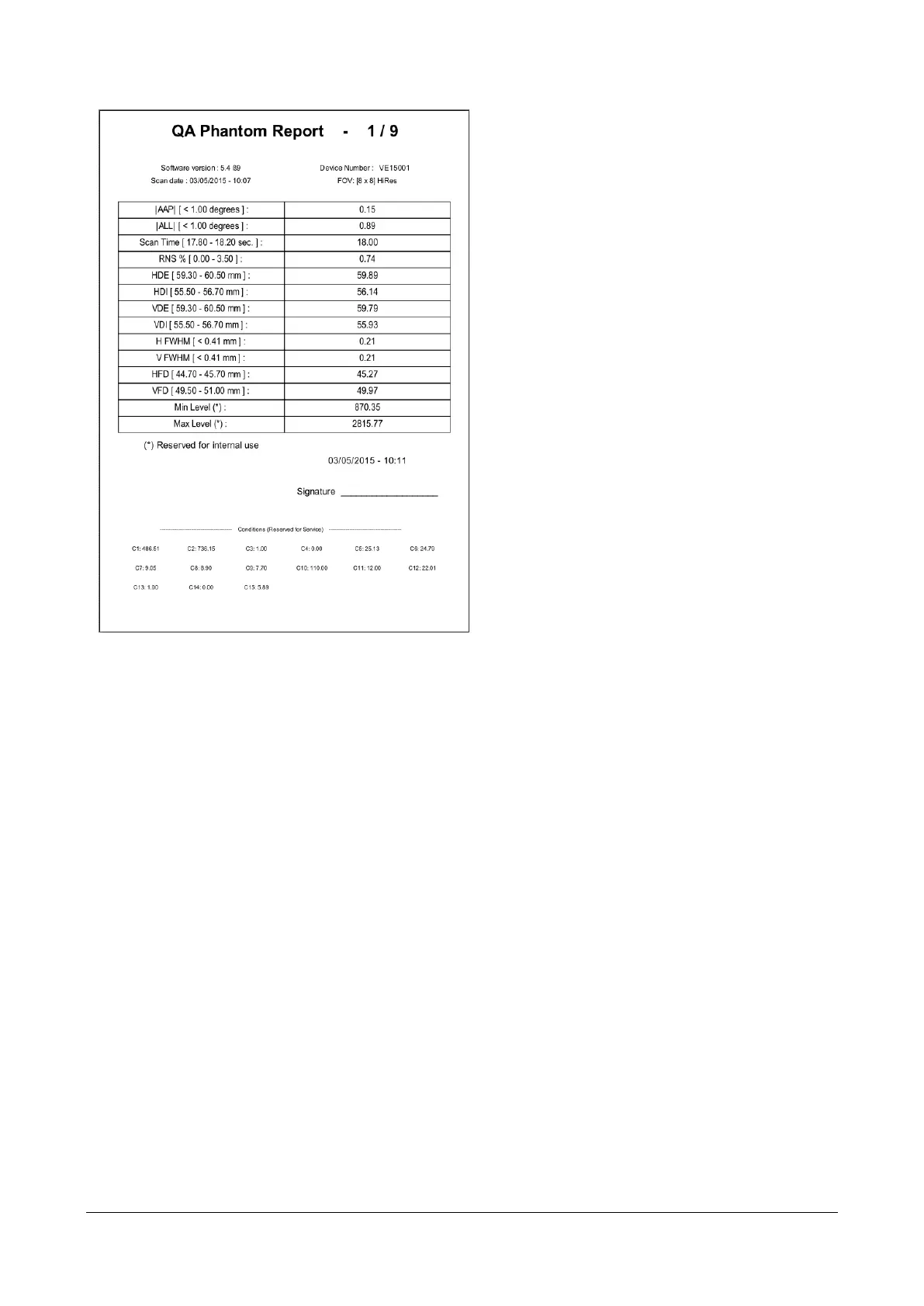
11) The analysis of the phantom scan will be
performed, showing a table with the resulting
values.
In case a value is out of range, three asterisks will
appear on its side.
Following is a short guide about what to do in case
some value is out of range.
AAP: Manually adjust the inclination of the
phantom (referring to the first scout view)
ALL: Manually adjust the inclination of the
phantom (referring to the second scout view)
RNS: Repeat blank acquisition
HDE – HDI – VDE – VDI :
1)Repeat scan
2)Repeat TIN calibration
H FWHM – V FWHM:
1)Verify phantom didn’t move
during acquisition
2)Repeat TIN calibration
HFD: 1)Repeat scan
2)Repeat TIN calibration
VFD: 1) Verify vertical alignment of the
phantom
2) Repeat TIN calibration


 To Next Page