Maintenance of the system
______________________________________________________________________________________
NewTom VGi evo – Service Manual rev 6 9-20
Adjusting the collimator
The adjustment of the collimator is required in order to collimate the x-ray beam on the flat panel surface. Tipically this
procedure is required after the x-ray source or the beam limiter have been replaced.
Following is the correct procedure for the adjustment of the collimator.
1. Enable the service level (CRTL+SHIFT+ALT+END).
2. From the scanner test window select Tools→Beam limiter
test.
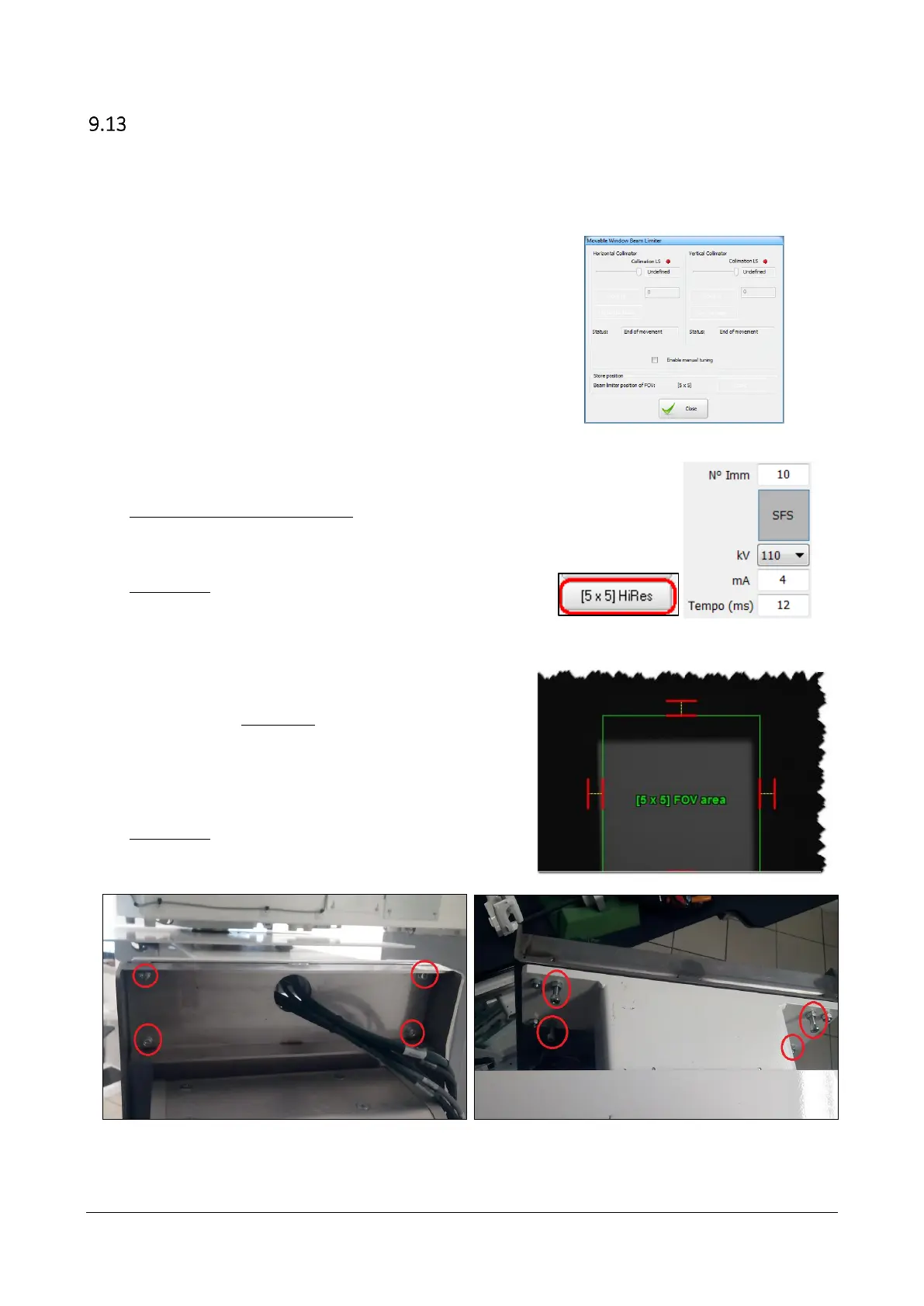
The “Movable Window Beam limiter” dialog will appear.
3. Select the smallest available FOV (tipically 5x5 HiRes) and
verify that the Small Focal Spot (SFS) button is selected.
4. Set the radiological parameters [mA = 4 ; Time (ms) = 12;
Image IMG=10] and acquire an image by pressing the
“Acquisition” button.
5. The purpose of this first step is to center the collimated area
(the gray one) in the green box.
In order to adjust the position of the collimated area is
necessary to modify the inclination of the x-ray source
bracket plate, by acting on the screws that hold the bracket
(see pictures below).
After each adjustment acquire a new image by pressing the
“Acquisition” button.
Horizontal adjustment. Rotating the bracket plate will result in moving the collimated area to the left
and/or to the right.



 To Next Page