Maintenance of the system
______________________________________________________________________________________
NewTom VGi evo – Service Manual rev 6 9-3
Rotating arm
From the main toolbar, select Tools -> Scanner Test. The scanner test window will appear.
9.3.1 Running a motor test
The motor test consists in one or more complete rotations of the arm. The results of the test are the number of
encoder steps and the elapsed time. Next are the steps to run a motor test.
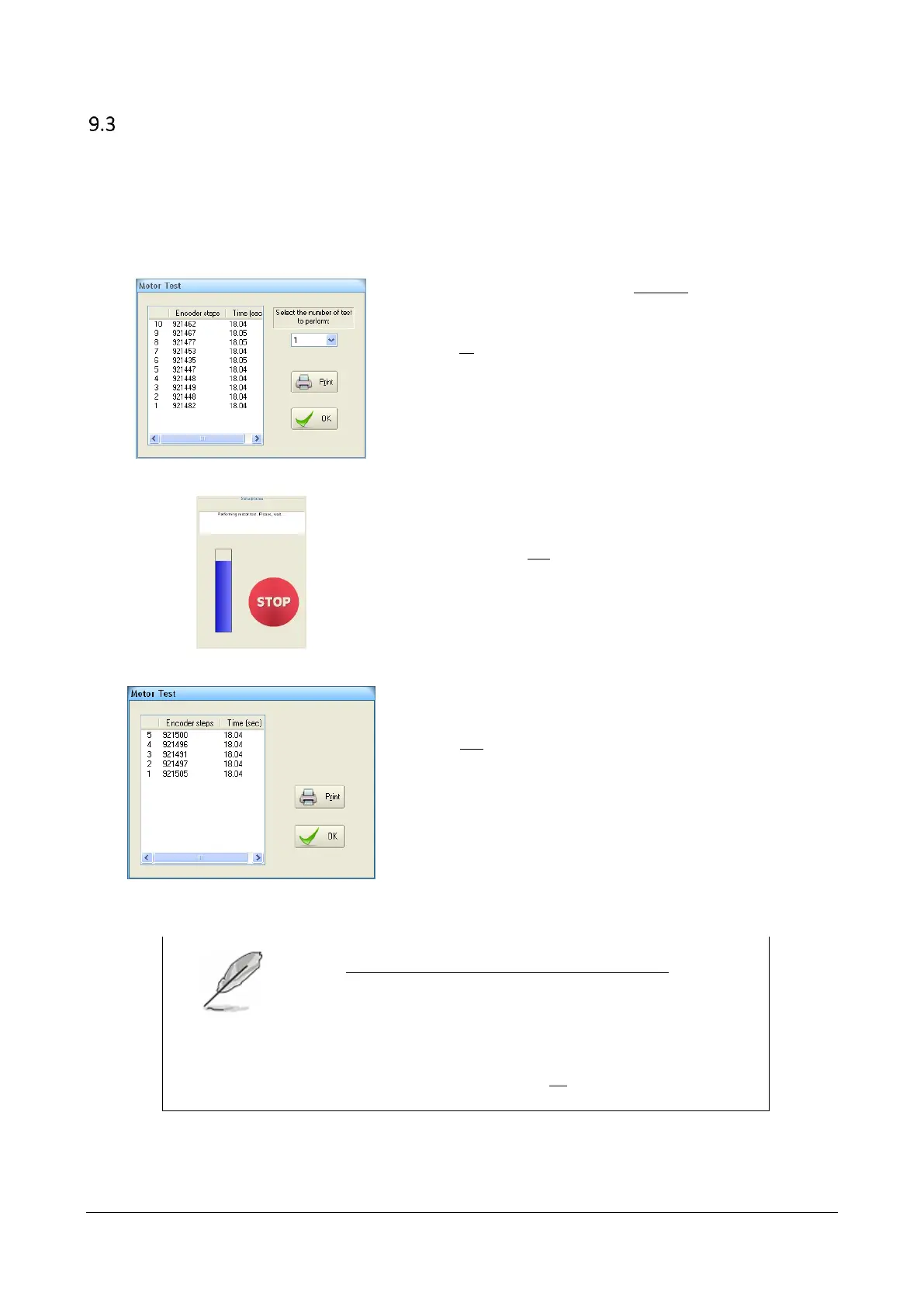
From the scanner test window select the “Motor Test” button.
The “Motor Test” dialog will appear.
From the drop down list select the number of test (rotations) you wish to run and
select “OK”.
NOTE:
For an installation it is suggested to perform at least 5 tests.
Located on the bottom-left corner of the service window, a “Status process” area
will display the status of the test.
This area includes a “Stop” red button that can be used to stop the test.
Once the test is finished the “Motor Test” window will show the results of the
test(s).
Select “Print” to display a report of the performed test(s).
The Motor Test report includes a table with the results of each single rotation and,
at the bottom, the average values.
Verify that the averages are inside the provided ranges (The report on the side is
only for representation. Do not refer to its ranges).
Select File -> Print to print a copy of the report.
NOTE:
To modify the current range for the Encoder steps, enable the
service level.
Open the “General Settings” window (see paragraphs 3.4
“Opening the “General Settings” window”).
Select the “Configuration” tab. In the “Encoder Steps” field, type
the new average of encoder steps. Close the window and when
prompted by the software click “OK” to save the file.



 To Next Page