Maintenance of the system
______________________________________________________________________________________
NewTom VGi evo – Service Manual rev 6 9-12
Replacing the flat panel detector
The replacement of detector includes both the flat panel sensor and the converter board. For a correct replacement
please follow the next steps:
1. Move the arm to 0º position, then turn the device OFF.
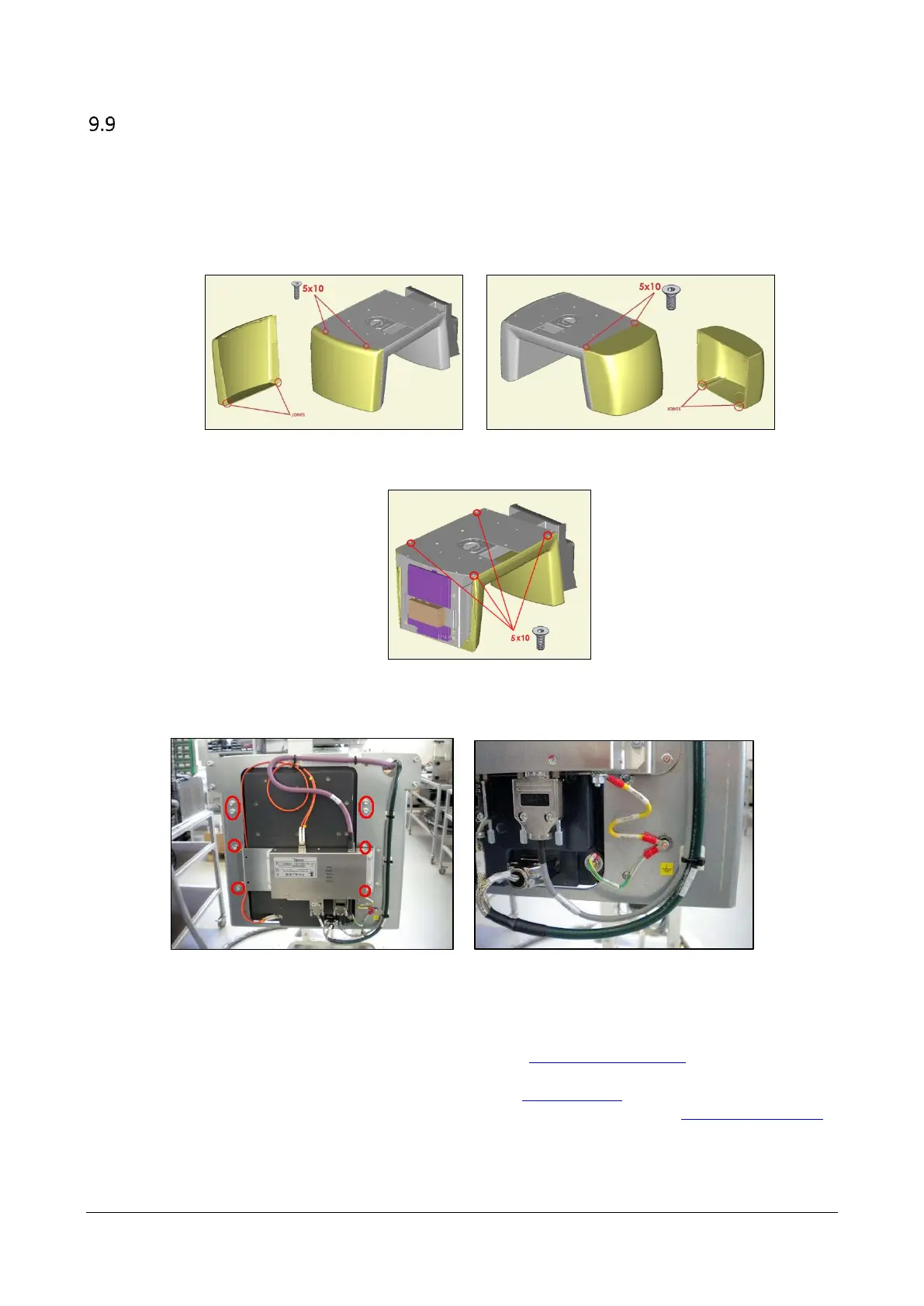
2. Remove the "CARTER PANNELLO NEXT- 99934962" and the "CARTER GENERATORE NEXT- 99934961".
3. Remove the “CARTER SELLA BR. ROTANTE NEXT - 99934963”.
4. Disconnect all the cables from the sensor and the converter, then remove the flat panel (unscrewing the 8
bolts circled in the picture below) and the converter.
5. Mount the new flat panel and connect it.
6. Perform a complete calibration of the device following tat sequence:
a) Verify the Beam limiter calibration (see the chapter “#Adjusting the collimator”)
b) Invalidate and perform a new one Blank Acquisition
c) Perform the Geometric Calibration (see the chapter#TIN Calibration”)
d) Perform the Headrest calibration and check the calibration (see the chapter “#Head Rest Calibration”)



 To Next Page