Maintenance of the system
______________________________________________________________________________________
NewTom VGi evo – Service Manual rev 6 9-9
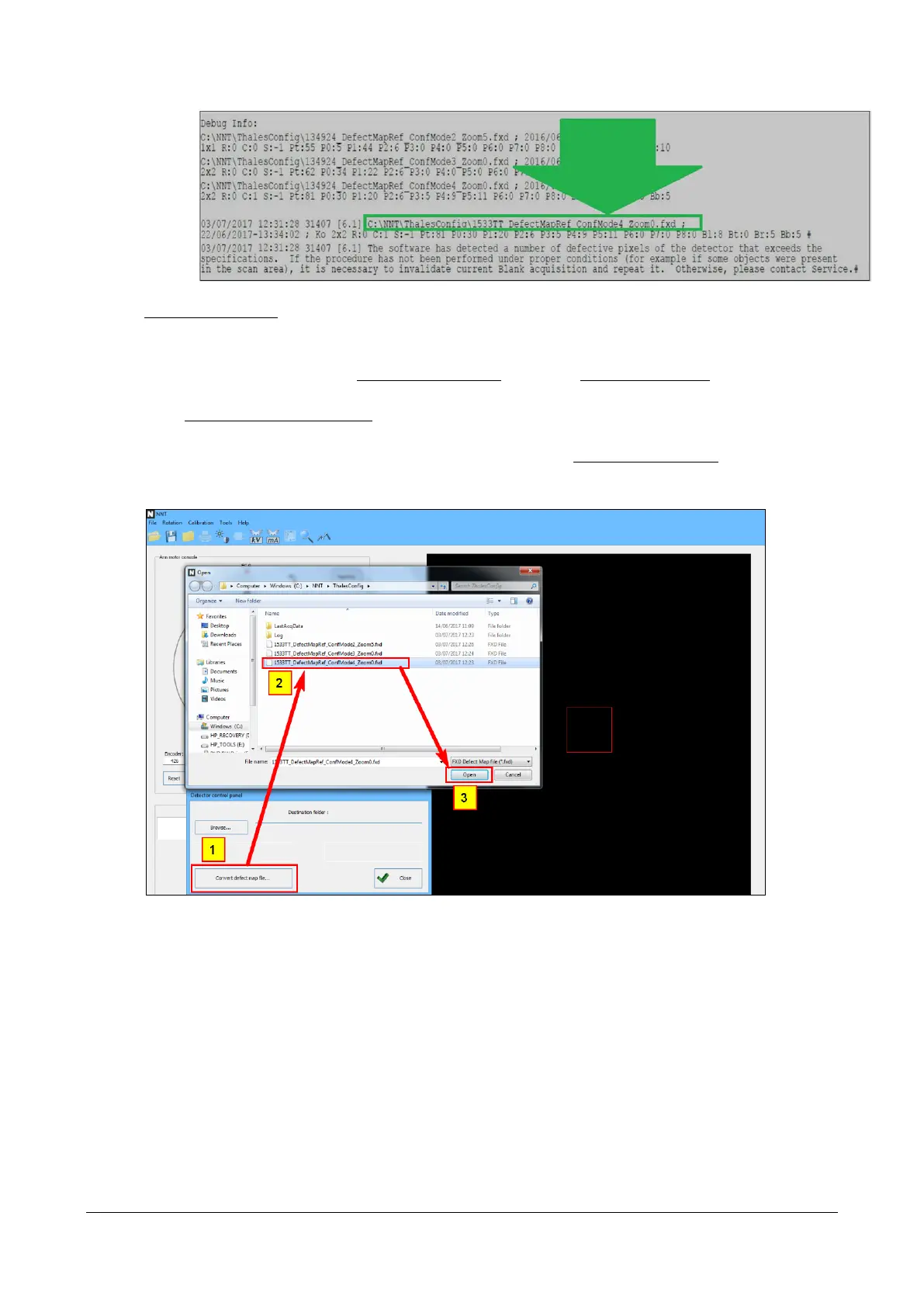
2. In this specific sample the file is “C:\NNT\ThalesConfig\1533TT_DefectMapref_ConfMode4__Zoom0.fxd” but it
could also be a different one.
3. From the main WS of the scanner enable the Service level, then select Tools -> Scanner Test.
4. Select Tools -> Detector control panel
5. Fron the “Detector control panel” window (see below), click on the “Convert defect map file” button (1), select
the defect map file (2) you previously wrote down and open it (3).
6. The converted Defect map image will appear. The pixels can have three different colors
Black: Good pixels
Gray: Ignored pixels (tipically the border of the image)
White: Pixels that haven’t been corrected



 To Next Page