USER’S MANUAL
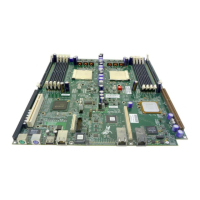
5.4 Replacing the Motherboard
There are several other components that must be taken out before the A2210
motherboard can be removed. Follow these steps to remove the motherboard:
1. Remove the heatsinks, Dual-Channel SCSI Controller Board, Signal
Interface Board, video card, Server Management Board, and the PCI-X
cage. The procedures for removing these components are described in
the following sections.
2. Unplug all cables from the motherboard that connect the board to other
components.
3. Remove the four screw-lock standoffs that are receptors for the screws
that hold the Dual-Channel SCSI Controller Board and Server
Management Boards in place.
4. Remove the ten screws that hold the motherboard to the chassis.
5. Remove the motherboard from the chassis.
To install a new motherboard, complete the above steps in reverse order.
5-6


 To Next Page