USER’S MANUAL
6.8 Replacing the IDE Disk Drives
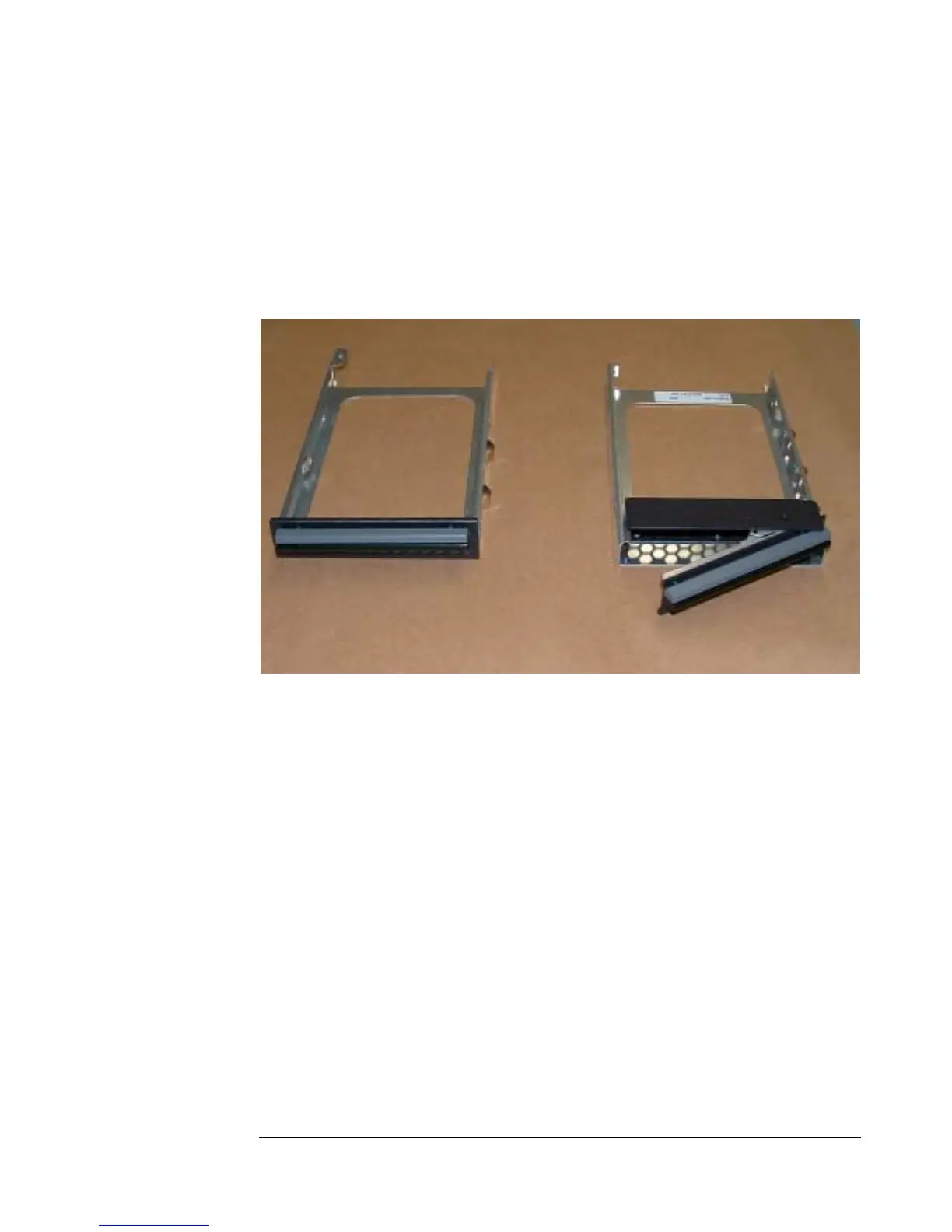
Hard drives and floppy disk drives are located near the front of the chassis on the
right side. IDE and SCSI drives are held in different drive cages. The difference
between the cages is that the IDE drive cage is designed to be rigidly held in place
with a screw, while the SCSI drive cage is designed for a hot-swappable drive so
that it can be taken out without opening the chassis. The cages are shown side-by-
side in Figure 21.
Figure 21 - IDE Drive Cage (left) and SCSI Drive Cage
6.8.1 Removing the IDE Drive Cage
Follow these steps to remove the IDE drive cage:
1. Unplug the IDE cable and power cable.
2. Remove the one screw holding the IDE drive cage in place as shown
in Figure 22.
6-10


 To Next Page