Table of Contents
Chapter 1 - INTRODUCTION
1.1 Overview 1-1
1.2 Feature Identification 1-3
1.3 Server Architecture 1-6
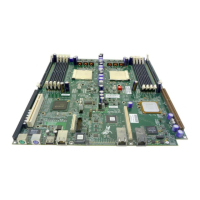
1.3.1 Main Board 1-6
1.3.2 Front Access Panel Board 1-6
1.3.3 Server Management Board 1-6
1.3.4 Dual-Channel SCSI Controller Board 1-6
1.3.5 Signal Interface Board 1-6
1.3.6 PCI-X Riser Board 1-7
1.4 External Connectivity 1-8
1.4.1 PS/2 Keyboard and Mouse Connector 1-8
1.4.2 Serial Port 1-8
1.4.3 USB Ports 1-8
1.4.4 External SCSI 1-9
1.4.5 Ethernet 1-9
1.5 Internal Connectivity 1-9
1.5.1 Mass Storage 1-9
1.6 Contacting Celestica 1-10
Chapter 2 - INSTALLATION
2.1 Unpacking the System 2-1
2.2 Before Powering On the System 2-2
2.2.1 Inspect the Server 2-2
2.2.2 Install Slide Rails 2-2
2.3 Powering On the System 2-4
Chapter 3 – SYSTEM INTERFACES
3.1 Switches/Buttons 3-1
3.2 Control Panel LEDs 3-2
Chapter 4 - SAFETY
4.1 General Precautions 4-1
4.2 Electrical Precautions 4-2
4.3 ESD Precautions 4-2
iii


 To Next Page